 BRASIL
Edição de imagem - Wan2.7/2.6/2.5
Edite imagens usando instruções de texto com Wan2.7, 2,6 e 2,5 modelos.
O Wan A série de modelos de edição de imagens suporta entrada e saída de várias imagens. Você pode usar instruções de texto para executar tarefas como edição de imagens, fusão de múltiplas imagens, preservação de recursos de assunto e detecção e segmentação de objetos.
Primeiros passos
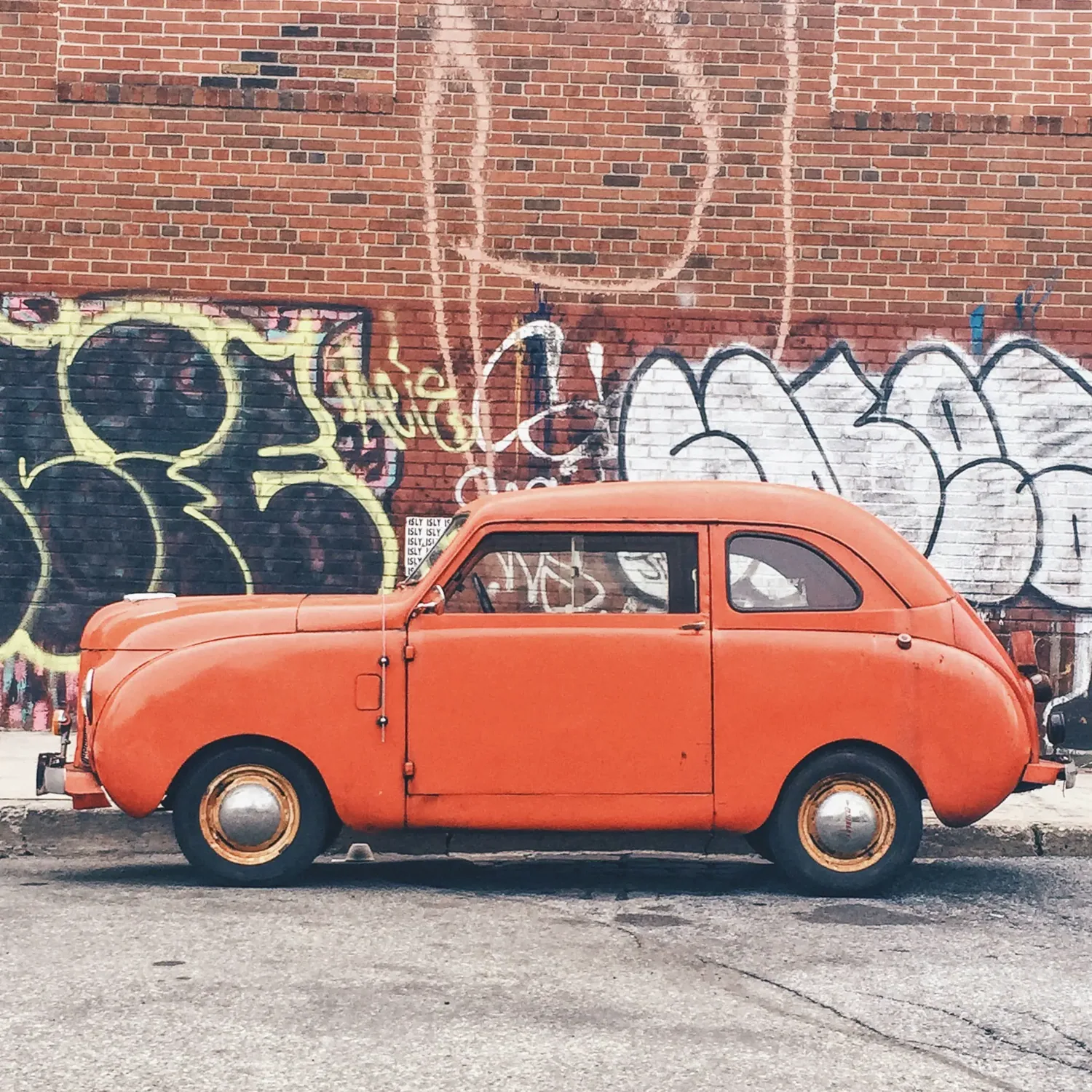
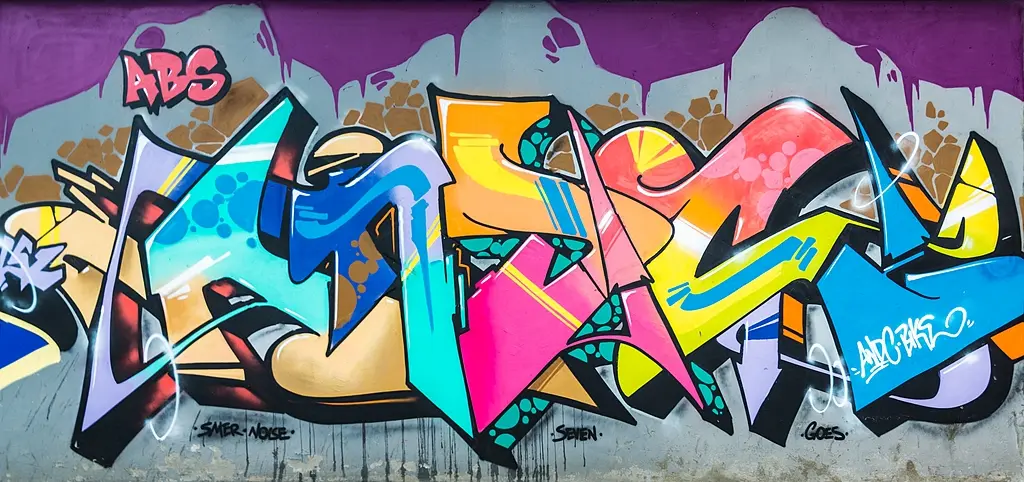
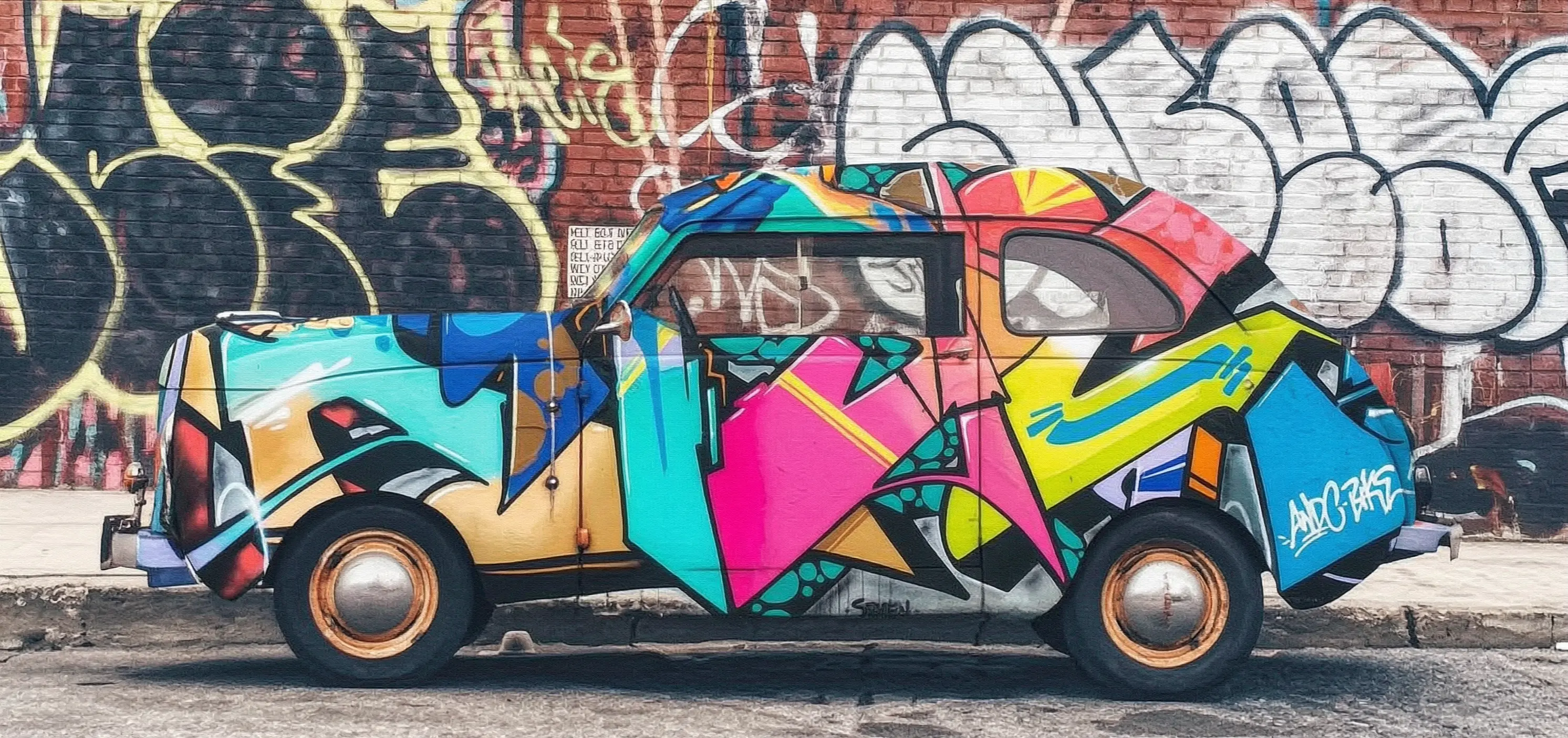
Este exemplo mostra como usar o wan2.7-image-pro modelo para gerar uma imagem editada com base em duas imagens de entrada e um prompt.
Dica: Pulverize o graffiti da imagem 2 no carro da imagem 1
<table style={{width: "100%", borderCollapse: "separate", borderSpacing: "8px 0", tableLayout: "fixed"}}> <thead> <tr> <th style={{textAlign: "left", width: "19%", paddingBottom: "8px"}}>Imagem de entrada 1</th> <th style={{textAlign: "left", width: "41%", paddingBottom: "8px"}}>Imagem de entrada 2</th> <th style={{textAlign: "left", width: "40%", paddingBottom: "8px"}}>Imagem de saída (wan2.7-image-pro)</th> </tr> </thead>
<tbody>
<tr>
<td style={{verticalAlign: "top"}}>
 </td>
<td style={{verticalAlign: "top"}}>
</td>
<td style={{verticalAlign: "top"}}>
</td>
</tr>
</tbody> </table>
Synchronous call
Importante Certifique-se de que seu SDK Python do DashScope seja a versão 1.25.15 ou posterior, e seu DashScope Java SDK é a versão 2.22.13 ou mais tarde.
  ```python Python
  import os
  import base64
  import mimetypes
  import urllib.request
  import dashscope
  from dashscope.aigc.image_generation import ImageGeneration
  from dashscope.api_entities.dashscope_response import Message

  dashscope.base_http_api_url = "https://maas.qwencloudapi.com/api/v1"

  # If you have not set an environment variable, replace the next line with: api_key="sk-xxx"
  api_key = os.getenv("DASHSCOPE_API_KEY")

  def encode_file(file_path):
    mime_type, _ = mimetypes.guess_type(file_path)
    if not mime_type or not mime_type.startswith("image/"):
      raise ValueError("Unsupported or unrecognized image format")
    with open(file_path, "rb") as image_file:
      encoded_string = base64.b64encode(image_file.read()).decode("utf-8")
    return f"data:{mime_type};base64,{encoded_string}"

  # [Method 1] Use a public image URL
  image_1 = "https://help-static-aliyun-doc.aliyuncs.com/file-manage-files/zh-CN/20251229/pjeqdf/car.webp"
  image_2 = "https://help-static-aliyun-doc.aliyuncs.com/file-manage-files/zh-CN/20251229/xsunlm/paint.webp"

  # [Method 2] Use a local file (supports absolute and relative paths)
  # image_1 = "file:///path/to/your/car.png"
  # image_2 = "file:///path/to/your/paint.png"

  # [Method 3] Use a Base64-encoded image
  # image_1 = encode_file("/path/to/your/car.png")
  # image_2 = encode_file("/path/to/your/paint.png")

  message = Message(
    role="user",
    content=[
      {"text": "Spray the graffiti from image 2 onto the car in image 1"},
      {"image": image_1},
      {"image": image_2},
    ],
  )
  print("----sync call, please wait a moment----")
  rsp = ImageGeneration.call(
    model="wan2.7-image-pro",
    api_key=api_key,
    messages=[message],
    watermark=False,
    n=1,
    # wan2.7-image-pro supports 4K only for text-to-image. Image editing supports up to 2K.
    size="2K",
  )

  if rsp.status_code == 200:
    for i, choice in enumerate(rsp.output.choices):
      for j, content in enumerate(choice["message"]["content"]):
        if content.get("type") == "image":
          image_url = content["image"]
          file_name = f"output_{i}_{j}.png"
          # The result URL is valid for 24 hours. Download it promptly.
          urllib.request.urlretrieve(image_url, file_name)
          print(f"Image saved to {file_name}")
  else:
    print(f"Failed: status_code={rsp.status_code}, message={rsp.message}")
  ```

  ```java Java
  import com.alibaba.dashscope.aigc.imagegeneration.*;
  import com.alibaba.dashscope.exception.ApiException;
  import com.alibaba.dashscope.exception.NoApiKeyException;
  import com.alibaba.dashscope.exception.UploadFileException;
  import com.alibaba.dashscope.utils.Constants;
  import com.alibaba.dashscope.utils.JsonUtils;

  import java.io.IOException;
  import java.io.InputStream;
  import java.net.URL;
  import java.nio.file.Files;
  import java.nio.file.Paths;
  import java.nio.file.StandardCopyOption;
  import java.util.Arrays;
  import java.util.Base64;
  import java.util.Collections;
  import java.util.List;
  import java.util.Map;

  public class Main {

    static {
      Constants.baseHttpApiUrl = "https://maas.qwencloudapi.com/api/v1";
    }

    // If you have not configured the environment variable, replace the following line with: apiKey="sk-xxx"
    static String apiKey = System.getenv("DASHSCOPE_API_KEY");

    // Base64 encoding: data:{MIME_type};base64,{base64_data}
    public static String encodeFile(String filePath) throws IOException {
      byte[] fileContent = Files.readAllBytes(Paths.get(filePath));
      String base64String = Base64.getEncoder().encodeToString(fileContent);
      String mimeType = Files.probeContentType(Paths.get(filePath));
      return "data:" + mimeType + ";base64," + base64String;
    }

    public static void basicCall() throws ApiException, NoApiKeyException, UploadFileException, IOException {
      // [Method 1] Use a public image URL
      String image1 = "https://help-static-aliyun-doc.aliyuncs.com/file-manage-files/zh-CN/20251229/pjeqdf/car.webp";
      String image2 = "https://help-static-aliyun-doc.aliyuncs.com/file-manage-files/zh-CN/20251229/xsunlm/paint.webp";

      // [Method 2] Use a local file
      // String image1 = "file:///path/to/your/car.png";
      // String image2 = "file:///path/to/your/paint.png";

      // [Method 3] Use a Base64-encoded image
      // String image1 = encodeFile("/path/to/your/car.png");
      // String image2 = encodeFile("/path/to/your/paint.png");

      ImageGenerationMessage message = ImageGenerationMessage.builder()
          .role("user")
          .content(Arrays.asList(
              Collections.singletonMap("text", "Spray the graffiti from image 2 onto the car in image 1"),
              Collections.singletonMap("image", image1),
              Collections.singletonMap("image", image2)
          )).build();

      ImageGenerationParam param = ImageGenerationParam.builder()
          .apiKey(apiKey)
          .model("wan2.7-image-pro")
          .messages(Collections.singletonList(message))
          .n(1)
          // wan2.7-image-pro supports 4K only for text-to-image. Image editing supports up to 2K.
          .size("2K")
          .build();

      ImageGeneration imageGeneration = new ImageGeneration();
      ImageGenerationResult result = null;
      try {
        System.out.println("---sync call for image editing, please wait a moment----");
        result = imageGeneration.call(param);
      } catch (ApiException | NoApiKeyException | UploadFileException e) {
        throw new RuntimeException(e.getMessage());
      }
      // Extract the result image URL and save it locally
      for (int i = 0; i < result.getOutput().getChoices().size(); i++) {
        List<Map<String, Object>> contents = result.getOutput().getChoices().get(i)
            .getMessage().getContent();
        for (int j = 0; j < contents.size(); j++) {
          if ("image".equals(contents.get(j).get("type"))) {
            String imageUrl = (String) contents.get(j).get("image");
            String fileName = "output_" + i + "_" + j + ".png";
            // The result URL is valid for 24 hours. Download it promptly.
            try (InputStream in = new URL(imageUrl).openStream()) {
              Files.copy(in, Paths.get(fileName), StandardCopyOption.REPLACE_EXISTING);
            }
            System.out.println("Image saved to " + fileName);
          }
        }
      }
    }

    public static void main(String[] args) throws ApiException, NoApiKeyException, UploadFileException, IOException {
      basicCall();
    }
  }
  ```

  ```bash curl
  curl --location 'https://maas.qwencloudapi.com/api/v1/services/aigc/multimodal-generation/generation' \
  --header 'Content-Type: application/json' \
  --header "Authorization: Bearer $DASHSCOPE_API_KEY" \
  --data '{
      "model": "wan2.7-image-pro",
      "input": {
          "messages": [
              {
                  "role": "user",
                  "content": [
                      {"image": "https://help-static-aliyun-doc.aliyuncs.com/file-manage-files/zh-CN/20251229/pjeqdf/car.webp"},
                      {"image": "https://help-static-aliyun-doc.aliyuncs.com/file-manage-files/zh-CN/20251229/xsunlm/paint.webp"},
                      {"text": "Spray-paint the graffiti from image 2 onto the car in image 1"}
                  ]
              }
          ]
      },
      "parameters": {
          "size": "2K",
          "n": 1,
          "watermark": false
      }
  }'
  ```


**Exemplo de resposta**
Resposta completa do JSON
  ```json
  {
      "output": {
          "choices": [
              {
                  "finish_reason": "stop",
                  "message": {
                      "content": [
                          {
                              "image": "https://dashscope-xxx.oss-xxx.aliyuncs.com/xxx.png?Expires=xxx",
                              "type": "image"
                          }
                      ],
                      "role": "assistant"
                  }
              }
          ],
          "finished": true
      },
      "usage": {
          "image_count": 1,
          "input_tokens": 10867,
          "output_tokens": 2,
          "size": "1488*704",
          "total_tokens": 10869
      },
      "request_id": "71dfc3c6-f796-9972-97e4-bc4efc4faxxx"
  }
  ```
Asynchronous call
Importante Certifique-se de que seu SDK Python do DashScope seja a versão 1.25.15 ou posterior, e seu DashScope Java SDK é a versão 2.22.13 ou mais tarde.
  ```python Python
  import os
  import base64
  import mimetypes
  import urllib.request
  import dashscope
  from dashscope.aigc.image_generation import ImageGeneration
  from dashscope.api_entities.dashscope_response import Message
  from http import HTTPStatus

  dashscope.base_http_api_url = "https://maas.qwencloudapi.com/api/v1"

  # If you have not set an environment variable, replace the next line with: api_key="sk-xxx"
  api_key = os.getenv("DASHSCOPE_API_KEY")

  def encode_file(file_path):
    mime_type, _ = mimetypes.guess_type(file_path)
    if not mime_type or not mime_type.startswith("image/"):
      raise ValueError("Unsupported or unrecognized image format")
    with open(file_path, "rb") as image_file:
      encoded_string = base64.b64encode(image_file.read()).decode("utf-8")
    return f"data:{mime_type};base64,{encoded_string}"

  # [Method 1] Use a public image URL
  image_1 = "https://help-static-aliyun-doc.aliyuncs.com/file-manage-files/zh-CN/20251229/pjeqdf/car.webp"
  image_2 = "https://help-static-aliyun-doc.aliyuncs.com/file-manage-files/zh-CN/20251229/xsunlm/paint.webp"

  # [Method 2] Use a local file (supports absolute and relative paths)
  # image_1 = "file:///path/to/your/car.png"
  # image_2 = "file:///path/to/your/paint.png"

  # [Method 3] Use a Base64-encoded image
  # image_1 = encode_file("/path/to/your/car.png")
  # image_2 = encode_file("/path/to/your/paint.png")

  def create_async_task():
    print("Creating async task...")
    message = Message(
      role="user",
      content=[
        {"text": "Spray the graffiti from image 2 onto the car in image 1"},
        {"image": image_1},
        {"image": image_2},
      ],
    )
    response = ImageGeneration.async_call(
      model="wan2.7-image-pro",
      api_key=api_key,
      messages=[message],
      watermark=False,
      n=1,
      # wan2.7-image-pro supports 4K only for text-to-image. Image editing supports up to 2K.
      size="2K",
    )

    if response.status_code == 200:
      print("Task created successfully:", response)
      return response
    else:
      raise Exception(f"Failed to create task: {response.code} - {response.message}")

  def wait_for_completion(task_response):
    print("Waiting for task completion...")
    status = ImageGeneration.wait(task=task_response, api_key=api_key)

    if status.output.task_status == "SUCCEEDED":
      print("Task succeeded!")
      for i, choice in enumerate(status.output.choices):
        for j, content in enumerate(choice["message"]["content"]):
          if content.get("type") == "image":
            image_url = content["image"]
            file_name = f"output_{i}_{j}.png"
            # The result URL is valid for 24 hours. Download it promptly.
            urllib.request.urlretrieve(image_url, file_name)
            print(f"Image saved to {file_name}")
    else:
      raise Exception(f"Task failed with status: {status.output.task_status}")

  def fetch_task_status(task):
    print("Fetching task status...")
    status = ImageGeneration.fetch(task=task, api_key=api_key)

    if status.status_code == HTTPStatus.OK:
      print("Task status:", status.output.task_status)
      print("Response details:", status)
    else:
      print(f"Failed to fetch status: {status.code} - {status.message}")

  def cancel_task(task):
    print("Canceling task...")
    response = ImageGeneration.cancel(task=task, api_key=api_key)

    if response.status_code == HTTPStatus.OK:
      print("Task canceled successfully:", response.output.task_status)
    else:
      print(f"Failed to cancel task: {response.code} - {response.message}")

  if __name__ == "__main__":
    task = create_async_task()
    wait_for_completion(task)
  ```

  ```java Java
  import com.alibaba.dashscope.aigc.imagegeneration.*;
  import com.alibaba.dashscope.exception.ApiException;
  import com.alibaba.dashscope.exception.NoApiKeyException;
  import com.alibaba.dashscope.exception.UploadFileException;
  import com.alibaba.dashscope.utils.Constants;
  import com.alibaba.dashscope.utils.JsonUtils;

  import java.io.IOException;
  import java.io.InputStream;
  import java.net.URL;
  import java.nio.file.Files;
  import java.nio.file.Paths;
  import java.nio.file.StandardCopyOption;
  import java.util.Arrays;
  import java.util.Base64;
  import java.util.Collections;
  import java.util.List;
  import java.util.Map;

  public class Main {

    static {
      Constants.baseHttpApiUrl = "https://maas.qwencloudapi.com/api/v1";
    }

    // If you have not configured the environment variable, replace the following line with: apiKey="sk-xxx"
    static String apiKey = System.getenv("DASHSCOPE_API_KEY");

    // --- Base64 encoding function ---
    // Base64 encoding format: data:{MIME_type};base64,{base64_data}
    public static String encodeFile(String filePath) throws IOException {
      byte[] fileContent = Files.readAllBytes(Paths.get(filePath));
      String base64String = Base64.getEncoder().encodeToString(fileContent);
      String mimeType = Files.probeContentType(Paths.get(filePath));
      return "data:" + mimeType + ";base64," + base64String;
    }

    public static void asyncCall() throws ApiException, NoApiKeyException, UploadFileException, IOException {
      // [Method 1] Use a public image URL
      String image1 = "https://help-static-aliyun-doc.aliyuncs.com/file-manage-files/zh-CN/20251229/pjeqdf/car.webp";
      String image2 = "https://help-static-aliyun-doc.aliyuncs.com/file-manage-files/zh-CN/20251229/xsunlm/paint.webp";

      // [Method 2] Use a local file (supports absolute and relative paths)
      // String image1 = "file:///path/to/your/car.png";
      // String image2 = "file:///path/to/your/paint.png";

      // [Method 3] Use a Base64-encoded image
      // String image1 = encodeFile("/path/to/your/car.png");
      // String image2 = encodeFile("/path/to/your/paint.png");

      ImageGenerationMessage message = ImageGenerationMessage.builder()
        .role("user")
        .content(Arrays.asList(
          Collections.singletonMap("text", "Spray the graffiti from image 2 onto the car in image 1"),
          Collections.singletonMap("image", image1),
          Collections.singletonMap("image", image2)
        )).build();

      ImageGenerationParam param = ImageGenerationParam.builder()
        .apiKey(apiKey)
        .model("wan2.7-image-pro")
        .n(1)
        // wan2.7-image-pro supports 4K only for text-to-image. Image editing supports up to 2K.
        .size("2K")
        .messages(Arrays.asList(message))
        .build();

      ImageGeneration imageGeneration = new ImageGeneration();
      ImageGenerationResult result = null;
      try {
        System.out.println("---async call for image editing, creating task----");
        result = imageGeneration.asyncCall(param);
      } catch (ApiException | NoApiKeyException | UploadFileException e) {
        throw new RuntimeException(e.getMessage());
      }
      System.out.println("Task creation result:");
      System.out.println(JsonUtils.toJson(result));

      String taskId = result.getOutput().getTaskId();
      waitTask(taskId);
    }

    public static void waitTask(String taskId) throws ApiException, NoApiKeyException, IOException {
      ImageGeneration imageGeneration = new ImageGeneration();
      System.out.println("\n---waiting for task completion----");
      ImageGenerationResult result = imageGeneration.wait(taskId, apiKey);
      for (int i = 0; i < result.getOutput().getChoices().size(); i++) {
        List<Map<String, Object>> contents = result.getOutput().getChoices().get(i)
          .getMessage().getContent();
        for (int j = 0; j < contents.size(); j++) {
          if ("image".equals(contents.get(j).get("type"))) {
            String imageUrl = (String) contents.get(j).get("image");
            String fileName = "output_" + i + "_" + j + ".png";
            // The result URL is valid for 24 hours. Download it promptly.
            try (InputStream in = new URL(imageUrl).openStream()) {
              Files.copy(in, Paths.get(fileName), StandardCopyOption.REPLACE_EXISTING);
            }
            System.out.println("Image saved to " + fileName);
          }
        }
      }
    }

    public static void main(String[] args) throws ApiException, NoApiKeyException, UploadFileException, IOException {
      asyncCall();
    }
  }
  ```

  ```bash curl (Step 1: Submit task)
  curl --location 'https://maas.qwencloudapi.com/api/v1/services/aigc/image-generation/generation' \
  --header 'Content-Type: application/json' \
  --header "Authorization: Bearer $DASHSCOPE_API_KEY" \
  --header 'X-DashScope-Async: enable' \
  --data '{
    "model": "wan2.7-image-pro",
    "input": {
      "messages": [
        {
          "role": "user",
          "content": [
            {"image": "https://help-static-aliyun-doc.aliyuncs.com/file-manage-files/zh-CN/20251229/pjeqdf/car.webp"},
            {"image": "https://help-static-aliyun-doc.aliyuncs.com/file-manage-files/zh-CN/20251229/xsunlm/paint.webp"},
            {"text": "Spray-paint the graffiti from image 2 onto the car in image 1"}
          ]
        }
      ]
    },
    "parameters": {
      "size": "2K",
      "n": 1,
      "watermark": false
    }
  }'
  ```

  ```bash curl (Step 2: Query result)
  curl -X GET 'https://maas.qwencloudapi.com/api/v1/tasks/{task_id}' \
  --header "Authorization: Bearer $DASHSCOPE_API_KEY"
  ```


**Exemplo de resposta**
Resposta completa do JSON
  ```json
  {
      "output": {
          "task_id": "127ec645-118f-4884-955d-0eba8dxxxxxx",
          "task_status": "SUCCEEDED",
          "choices": [
              {
                  "finish_reason": "stop",
                  "message": {
                      "content": [
                          {
                              "image": "https://dashscope-xxx.oss-xxx.aliyuncs.com/xxx.png?Expires=xxx",
                              "type": "image"
                          }
                      ],
                      "role": "assistant"
                  }
              }
          ],
          "finished": true
      },
      "usage": {
          "image_count": 1,
          "input_tokens": 10867,
          "output_tokens": 2,
          "size": "1488*704",
          "total_tokens": 10869
      },
      "request_id": "4fb3050f-de57-4a24-84ff-e37ee5xxxxxx"
  }
  ```
View wan2.5-i2i-preview call examples
O wan2.5-i2i-preview modelo usa diferentes endpoints de API e formatos de parâmetros.
Chamada síncrona (wan2.5)
Importante Certifique-se de que sua versão do DashScope Python SDK seja pelo menos 1.25.2 e sua versão do DashScope Java SDK é pelo menos 2.22.2.
```python
import base64
import mimetypes
from http import HTTPStatus
from urllib.parse import urlparse, unquote
from pathlib import PurePosixPath

import dashscope
import requests
from dashscope import ImageSynthesis
import os

dashscope.base_http_api_url = 'https://maas.qwencloudapi.com/api/v1'

# If you have not configured an environment variable, replace the next line with: api_key="sk-xxx"
api_key = os.getenv("DASHSCOPE_API_KEY")

# --- Input image: Base64 encoding ---
# Base64 format: data:{MIME_type};base64,{base64_data}
def encode_file(file_path):
    mime_type, _ = mimetypes.guess_type(file_path)
    if not mime_type or not mime_type.startswith("image/"):
        raise ValueError("Unsupported or unrecognized image format")
    with open(file_path, "rb") as image_file:
        encoded_string = base64.b64encode(image_file.read()).decode('utf-8')
    return f"data:{mime_type};base64,{encoded_string}"

"""
Image input methods:
Choose one of the following:

1. Public URL — best for publicly accessible images
2. Local file — best for local development and testing
3. Base64 encoding — best for private images or secure transmission
"""

# [Method 1] Public image URL
image_url_1 = "https://img.alicdn.com/imgextra/i3/O1CN0157XGE51l6iL9441yX_!!6000000004770-49-tps-1104-1472.webp"
image_url_2 = "https://img.alicdn.com/imgextra/i3/O1CN01SfG4J41UYn9WNt4X1_!!6000000002530-49-tps-1696-960.webp"

# [Method 2] Local file (supports absolute and relative paths)
# Format: file:// + file path
# Example (absolute path):
# image_url_1 = "file://" + "/path/to/your/image_1.png"     # Linux/macOS
# image_url_2 = "file://" + "C:/path/to/your/image_2.png"  # Windows
# Example (relative path):
# image_url_1 = "file://" + "./image_1.png"                 # Adjust to your path
# image_url_2 = "file://" + "./image_2.png"                # Adjust to your path

# [Method 3] Base64-encoded image
# image_url_1 = encode_file("./image_1.png")               # Adjust to your path
# image_url_2 = encode_file("./image_2.png")              # Adjust to your path

print('----sync call, please wait a moment----')
rsp = ImageSynthesis.call(api_key=api_key,
                          model="wan2.5-i2i-preview",
                          prompt="Place the alarm clock from image 1 beside the vase on the dining table in image 2.",
                          images=[image_url_1, image_url_2],
                          negative_prompt="",
                          n=1,
                          # size="1280*1280",
                          prompt_extend=True,
                          watermark=False,
                          seed=12345)
print('response: %s' % rsp)
if rsp.status_code == HTTPStatus.OK:
    # Save images to current directory
    for result in rsp.output.results:
        file_name = PurePosixPath(unquote(urlparse(result.url).path)).parts[-1]
        with open('./%s' % file_name, 'wb+') as f:
            f.write(requests.get(result.url).content)
else:
    print('sync_call Failed, status_code: %s, code: %s, message: %s' %
          (rsp.status_code, rsp.code, rsp.message))
```

```json
{
    "status_code": 200,
    "request_id": "8ad45834-4321-44ed-adf5-xxxxxx",
    "code": null,
    "message": "",
    "output": {
        "task_id": "3aff9ebd-35fc-4339-98a3-xxxxxx",
        "task_status": "SUCCEEDED",
        "results": [
            {
                "url": "https://dashscope-result-sh.oss-cn-shanghai.aliyuncs.com/xxx.png?Expires=xxx",
                "orig_prompt": "Place the alarm clock from image 1 beside the vase on the dining table in image 2.",
                "actual_prompt": "Place the blue alarm clock from image 1 to the right of the vase on the dining table in image 2, near the edge of the tablecloth. Keep the clock facing the camera and parallel to the tabletop, with natural shadow projection."
            }
        ],
        "submit_time": "2025-10-23 16:18:16.009",
        "scheduled_time": "2025-10-23 16:18:16.040",
        "end_time": "2025-10-23 16:19:09.591",
        "task_metrics": {
            "TOTAL": 1,
            "FAILED": 0,
            "SUCCEEDED": 1
        }
    },
    "usage": {
        "image_count": 1
    }
}
```

```java
// Copyright (c) Alibaba, Inc. and its affiliates.

import com.alibaba.dashscope.aigc.imagesynthesis.ImageSynthesis;
import com.alibaba.dashscope.aigc.imagesynthesis.ImageSynthesisParam;
import com.alibaba.dashscope.aigc.imagesynthesis.ImageSynthesisResult;
import com.alibaba.dashscope.exception.ApiException;
import com.alibaba.dashscope.exception.NoApiKeyException;
import com.alibaba.dashscope.utils.Constants;
import com.alibaba.dashscope.utils.JsonUtils;

import java.io.IOException;
import java.nio.file.Files;
import java.nio.file.Path;
import java.nio.file.Paths;
import java.util.*;

public class Image2Image {

    static {
        Constants.baseHttpApiUrl = "https://maas.qwencloudapi.com/api/v1";
    }

    // If you have not configured an environment variable, replace the next line with: apiKey="sk-xxx"
    static String apiKey = System.getenv("DASHSCOPE_API_KEY");

    /**
     * Image input methods: choose one
     *
     * 1. Public URL — best for publicly accessible images
     * 2. Local file — best for local development and testing
     * 3. Base64 encoding — best for private images or secure transmission
     */

    // [Method 1] Public URL
    static String imageUrl_1 = "https://img.alicdn.com/imgextra/i3/O1CN0157XGE51l6iL9441yX_!!6000000004770-49-tps-1104-1472.webp";
    static String imageUrl_2 = "https://img.alicdn.com/imgextra/i3/O1CN01SfG4J41UYn9WNt4X1_!!6000000002530-49-tps-1696-960.webp";

    // [Method 2] Local file path (file://+absolute path or file:///+absolute path)
    // static String imageUrl_1 = "file://" + "/your/path/to/image_1.png";    // Linux/macOS
    // static String imageUrl_2 = "file:///" + "C:/your/path/to/image_2.png";  // Windows

    // [Method 3] Base64 encoding
    // static String imageUrl_1 = encodeFile("/your/path/to/image_1.png");
    // static String imageUrl_2 = encodeFile("/your/path/to/image_2.png");

    // List of images to edit
    static List<String> imageUrls = new ArrayList<>();
    static {
        imageUrls.add(imageUrl_1);
        imageUrls.add(imageUrl_2);
    }

    public static void syncCall() {
        // Set parameters
        Map<String, Object> parameters = new HashMap<>();
        parameters.put("prompt_extend", true);
        parameters.put("watermark", false);
        parameters.put("seed", 12345);

        ImageSynthesisParam param =
                ImageSynthesisParam.builder()
                        .apiKey(apiKey)
                        .model("wan2.5-i2i-preview")
                        .prompt("Place the alarm clock from image 1 beside the vase on the dining table in image 2.")
                        .images(imageUrls)
                        .n(1)
                         //.size("1280*1280")
                        .negativePrompt("")
                        .parameters(parameters)
                        .build();

        ImageSynthesis imageSynthesis = new ImageSynthesis();
        ImageSynthesisResult result = null;
        try {
            System.out.println("---sync call, please wait a moment----");
            result = imageSynthesis.call(param);
        } catch (ApiException | NoApiKeyException e){
            throw new RuntimeException(e.getMessage());
        }
        System.out.println(JsonUtils.toJson(result));
    }

    /**
     * Encode a file as a Base64 string
     * @param filePath File path
     * @return Base64 string in format data:{MIME_type};base64,{base64_data}
     */
    public static String encodeFile(String filePath) {
        Path path = Paths.get(filePath);
        if (!Files.exists(path)) {
            throw new IllegalArgumentException("File not found: " + filePath);
        }
        // Detect MIME type
        String mimeType = null;
        try {
            mimeType = Files.probeContentType(path);
        } catch (IOException e) {
            throw new IllegalArgumentException("Cannot detect file type: " + filePath);
        }
        if (mimeType == null || !mimeType.startsWith("image/")) {
            throw new IllegalArgumentException("Unsupported or unrecognized image format");
        }
        // Read file and encode
        byte[] fileBytes = null;
        try{
            fileBytes = Files.readAllBytes(path);
        } catch (IOException e) {
            throw new IllegalArgumentException("Cannot read file: " + filePath);
        }

        String encodedString = Base64.getEncoder().encodeToString(fileBytes);
        return "data:" + mimeType + ";base64," + encodedString;
    }

    public static void main(String[] args) {
        syncCall();
    }
}
```

```json
{
    "request_id": "d362685b-757f-4eac-bab5-xxxxxx",
    "output": {
        "task_id": "bfa7fc39-3d87-4fa7-b1e6-xxxxxx",
        "task_status": "SUCCEEDED",
        "results": [
            {
                "orig_prompt": "Place the alarm clock from image 1 beside the vase on the dining table in image 2.",
                "actual_prompt": "Place the blue alarm clock from image 1 to the right of the vase on the dining table in image 2, near the edge of the tablecloth. Keep the clock facing the camera and parallel to the vase.",
                "url": "https://dashscope-result-sh.oss-cn-shanghai.aliyuncs.com/xxx.png?Expires=xxx"
            }
        ],
        "task_metrics": {
            "TOTAL": 1,
            "SUCCEEDED": 1,
            "FAILED": 0
        }
    },
    "usage": {
        "image_count": 1
    }
}
```
Chamada assíncrona (wan2.5)
Importante Certifique-se de que sua versão do DashScope Python SDK seja pelo menos 1.25.2 e sua versão do DashScope Java SDK é pelo menos 2.22.2.
```python
import os
from http import HTTPStatus
from urllib.parse import urlparse, unquote
from pathlib import PurePosixPath
import dashscope
import requests
from dashscope import ImageSynthesis

dashscope.base_http_api_url = 'https://maas.qwencloudapi.com/api/v1'

# If you have not configured an environment variable, replace the next line with: api_key="sk-xxx"
api_key = os.getenv("DASHSCOPE_API_KEY")

# Public image URLs
image_url_1 = "https://img.alicdn.com/imgextra/i3/O1CN0157XGE51l6iL9441yX_!!6000000004770-49-tps-1104-1472.webp"
image_url_2 = "https://img.alicdn.com/imgextra/i3/O1CN01SfG4J41UYn9WNt4X1_!!6000000002530-49-tps-1696-960.webp"

def async_call():
    print('----create task----')
    task_info = create_async_task()
    print('----wait task----')
    wait_async_task(task_info)

# Create an asynchronous task
def create_async_task():
    rsp = ImageSynthesis.async_call(api_key=api_key,
                                    model="wan2.5-i2i-preview",
                                    prompt="Place the alarm clock from image 1 beside the vase on the dining table in image 2.",
                                    images=[image_url_1, image_url_2],
                                    negative_prompt="",
                                    n=1,
                                    # size="1280*1280",
                                    prompt_extend=True,
                                    watermark=False,
                                    seed=12345)
    print(rsp)
    if rsp.status_code == HTTPStatus.OK:
        print(rsp.output)
    else:
        print('Failed, status_code: %s, code: %s, message: %s' %
              (rsp.status_code, rsp.code, rsp.message))
    return rsp

# Wait for the asynchronous task to finish
def wait_async_task(task):
    rsp = ImageSynthesis.wait(task=task, api_key=api_key)
    print(rsp)
    if rsp.status_code == HTTPStatus.OK:
        print(rsp.output)
        # Save file to current directory
        for result in rsp.output.results:
            file_name = PurePosixPath(unquote(urlparse(result.url).path)).parts[-1]
            with open('./%s' % file_name, 'wb+') as f:
                f.write(requests.get(result.url).content)
    else:
        print('Failed, status_code: %s, code: %s, message: %s' %
              (rsp.status_code, rsp.code, rsp.message))

# Fetch asynchronous task status
def fetch_task_status(task):
    status = ImageSynthesis.fetch(task=task, api_key=api_key)
    print(status)
    if status.status_code == HTTPStatus.OK:
        print(status.output.task_status)
    else:
        print('Failed, status_code: %s, code: %s, message: %s' %
              (status.status_code, status.code, status.message))

# Cancel an asynchronous task. Only PENDING tasks can be canceled.
def cancel_task(task):
    rsp = ImageSynthesis.cancel(task=task, api_key=api_key)
    print(rsp)
    if rsp.status_code == HTTPStatus.OK:
        print(rsp.output.task_status)
    else:
        print('Failed, status_code: %s, code: %s, message: %s' %
              (rsp.status_code, rsp.code, rsp.message))

if __name__ == '__main__':
    async_call()
```

```json
{
    "status_code": 200,
    "request_id": "31b04171-011c-96bd-ac00-f0383b669cc7",
    "code": "",
    "message": "",
    "output": {
        "task_id": "4f90cf14-a34e-4eae-xxxxxxxx",
        "task_status": "PENDING",
        "results": []
    },
    "usage": null
}
```

```json
{
    "status_code": 200,
    "request_id": "8ad45834-4321-44ed-adf5-xxxxxx",
    "code": null,
    "message": "",
    "output": {
        "task_id": "3aff9ebd-35fc-4339-98a3-xxxxxx",
        "task_status": "SUCCEEDED",
        "results": [
            {
                "url": "https://dashscope-result-sh.oss-cn-shanghai.aliyuncs.com/xxx.png?Expires=xxx",
                "orig_prompt": "Place the alarm clock from image 1 beside the vase on the dining table in image 2.",
                "actual_prompt": "Place the blue alarm clock from image 1 to the right of the vase on the dining table in image 2, near the edge of the tablecloth. Keep the clock facing the camera and parallel to the tabletop, with natural shadow projection."
            }
        ],
        "submit_time": "2025-10-23 16:18:16.009",
        "scheduled_time": "2025-10-23 16:18:16.040",
        "end_time": "2025-10-23 16:19:09.591",
        "task_metrics": {
            "TOTAL": 1,
            "FAILED": 0,
            "SUCCEEDED": 1
        }
    },
    "usage": {
        "image_count": 1
    }
}
```

```java
// Copyright (c) Alibaba, Inc. and its affiliates.

import com.alibaba.dashscope.aigc.imagesynthesis.ImageSynthesis;
import com.alibaba.dashscope.aigc.imagesynthesis.ImageSynthesisListResult;
import com.alibaba.dashscope.aigc.imagesynthesis.ImageSynthesisParam;
import com.alibaba.dashscope.aigc.imagesynthesis.ImageSynthesisResult;
import com.alibaba.dashscope.exception.ApiException;
import com.alibaba.dashscope.exception.NoApiKeyException;
import com.alibaba.dashscope.task.AsyncTaskListParam;
import com.alibaba.dashscope.utils.Constants;
import com.alibaba.dashscope.utils.JsonUtils;

import java.util.ArrayList;
import java.util.HashMap;
import java.util.List;
import java.util.Map;

public class Image2Image {

    static {
        Constants.baseHttpApiUrl = "https://maas.qwencloudapi.com/api/v1";
    }

    // If you have not configured an environment variable, replace the next line with: apiKey="sk-xxx"
    static String apiKey = System.getenv("DASHSCOPE_API_KEY");

    // Public URLs
    static String imageUrl_1 = "https://img.alicdn.com/imgextra/i3/O1CN0157XGE51l6iL9441yX_!!6000000004770-49-tps-1104-1472.webp";
    static String imageUrl_2 = "https://img.alicdn.com/imgextra/i3/O1CN01SfG4J41UYn9WNt4X1_!!6000000002530-49-tps-1696-960.webp";

    // List of images to edit
    static List<String> imageUrls = new ArrayList<>();
    static {
        imageUrls.add(imageUrl_1);
        imageUrls.add(imageUrl_2);
    }

    public static void asyncCall() {
        // Set parameters
        Map<String, Object> parameters = new HashMap<>();
        parameters.put("prompt_extend", true);
        parameters.put("watermark", false);
        parameters.put("seed", 12345);

        ImageSynthesisParam param =
                ImageSynthesisParam.builder()
                        .apiKey(apiKey)
                        .model("wan2.5-i2i-preview")
                        .prompt("Place the alarm clock from image 1 beside the vase on the dining table in image 2.")
                        .images(imageUrls)
                        .n(1)
                        //.size("1280*1280")
                        .negativePrompt("")
                        .parameters(parameters)
                        .build();
        ImageSynthesis imageSynthesis = new ImageSynthesis();
        ImageSynthesisResult result = null;
        try {
            System.out.println("---async call, please wait a moment----");
            result = imageSynthesis.asyncCall(param);
        } catch (ApiException | NoApiKeyException e){
            throw new RuntimeException(e.getMessage());
        }

        System.out.println(JsonUtils.toJson(result));

        String taskId = result.getOutput().getTaskId();

        System.out.println("taskId=" + taskId);

        try {
            result = imageSynthesis.wait(taskId, apiKey);
        } catch (ApiException | NoApiKeyException e){
            throw new RuntimeException(e.getMessage());
        }
        System.out.println(JsonUtils.toJson(result));
        System.out.println(JsonUtils.toJson(result.getOutput()));
    }

    public static void listTask() throws ApiException, NoApiKeyException {
        ImageSynthesis is = new ImageSynthesis();
        AsyncTaskListParam param = AsyncTaskListParam.builder().build();
        param.setApiKey(apiKey);
        ImageSynthesisListResult result = is.list(param);
        System.out.println(result);
    }

    public void fetchTask(String taskId) throws ApiException, NoApiKeyException {
        ImageSynthesis is = new ImageSynthesis();
        // If DASHSCOPE_API_KEY is set as an environment variable, apiKey can be empty.
        ImageSynthesisResult result = is.fetch(taskId, apiKey);
        System.out.println(result.getOutput());
        System.out.println(result.getUsage());
    }

    public static void main(String[] args) {
        asyncCall();
    }
}
```

```json
{
    "request_id": "5dbf9dc5-4f4c-9605-85ea-542f97709ba8",
    "output": {
        "task_id": "7277e20e-aa01-4709-xxxxxxxx",
        "task_status": "PENDING"
    }
}
```

```json
{
    "request_id": "d362685b-757f-4eac-bab5-xxxxxx",
    "output": {
        "task_id": "bfa7fc39-3d87-4fa7-b1e6-xxxxxx",
        "task_status": "SUCCEEDED",
        "results": [
            {
                "orig_prompt": "Place the alarm clock from image 1 beside the vase on the dining table in image 2.",
                "actual_prompt": "Place the blue alarm clock from image 1 to the right of the vase on the dining table in image 2, near the edge of the tablecloth. Keep the clock facing the camera and parallel to the vase.",
                "url": "https://dashscope-result-sh.oss-cn-shanghai.aliyuncs.com/xxx.png?Expires=xxx"
            }
        ],
        "task_metrics": {
            "TOTAL": 1,
            "SUCCEEDED": 1,
            "FAILED": 0
        }
    },
    "usage": {
        "image_count": 1
    }
}
```
Demonstração
Gerar grupos de imagens
<table style={{width: "100%", borderCollapse: "separate", borderSpacing: "8px 0", tableLayout: "fixed"}}> <thead> <tr> <th style={{textAlign: "left", width: "40%", paddingBottom: "8px"}}>Imagem de entrada</th> <th style={{textAlign: "left", width: "60%", paddingBottom: "8px"}}>Imagem de saída</th> </tr> </thead>
<tbody>
<tr>
<td style={{verticalAlign: "top"}}>
 </td>
<td style={{verticalAlign: "top"}}>
</td>
</tr>
</tbody> </table>
<table style={{width: "100%", borderCollapse: "separate", borderSpacing: "8px 0", tableLayout: "fixed"}}>
<tbody>
<tr>
<td style={{verticalAlign: "top", width: "33%"}}>
 </td>
<td style={{verticalAlign: "top", width: "67%"}}>
</td>
</tr>
</tbody> </table>
Clique para ver as instruções.
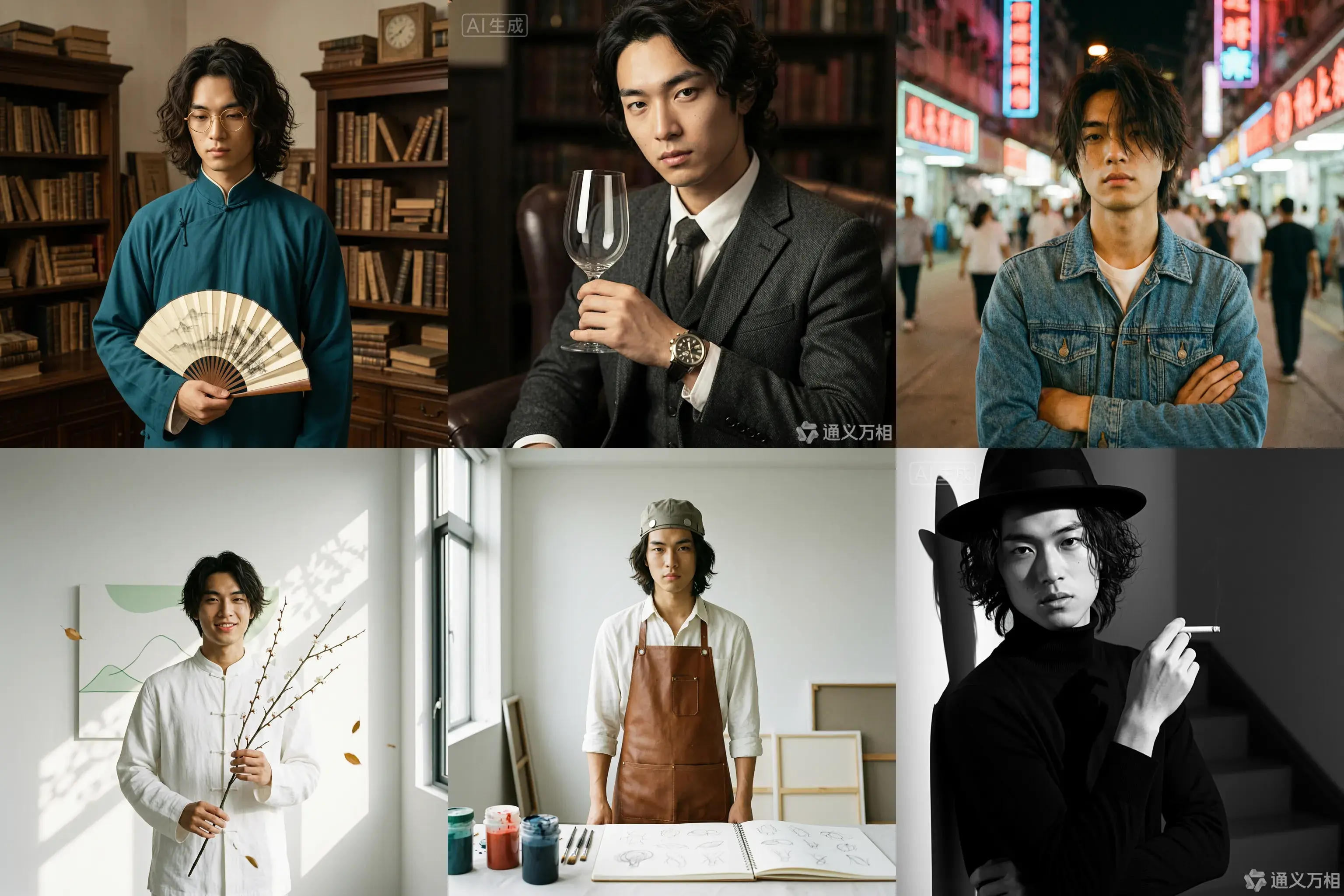
Caso 1: Sessão fotográfica
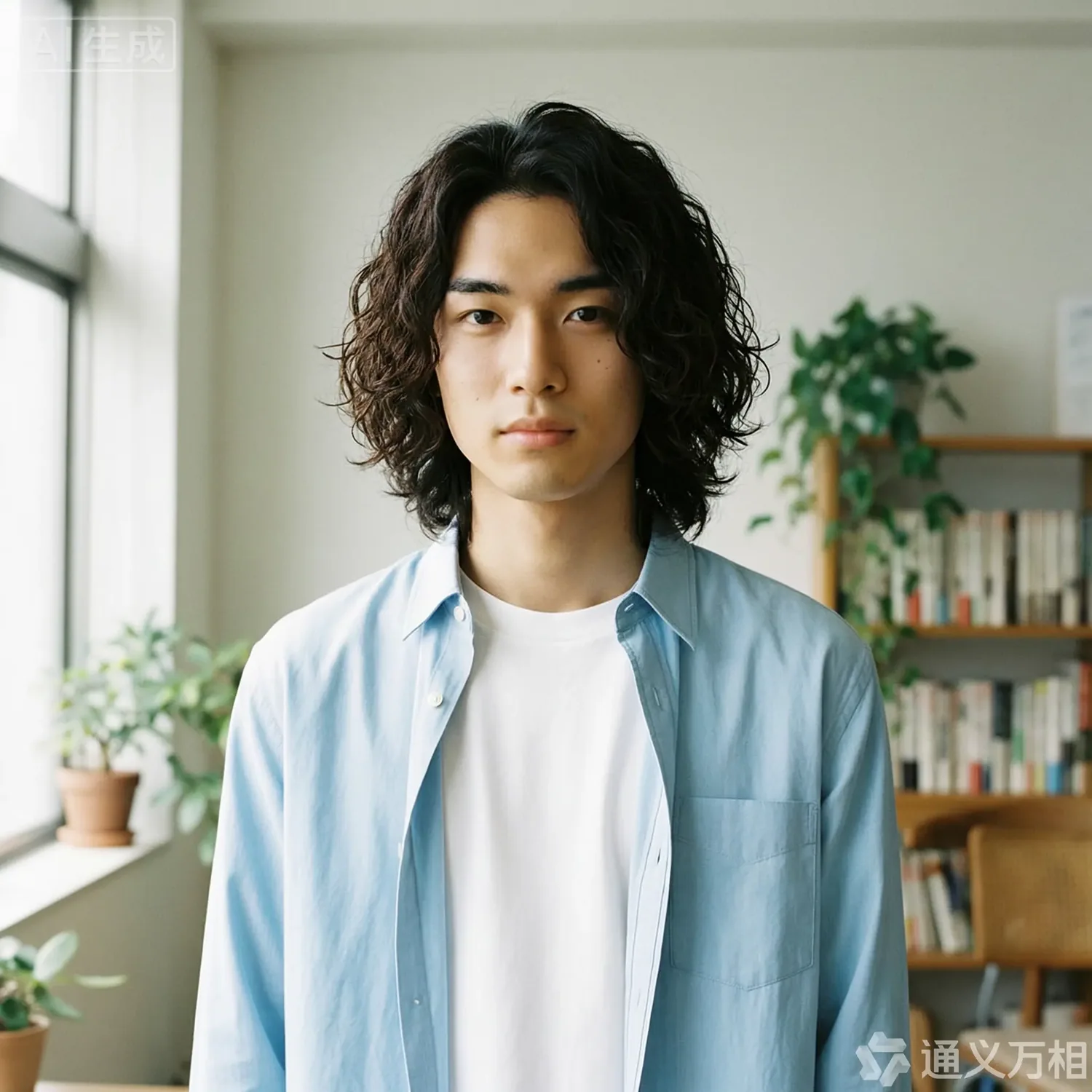
Base character setting: A 20-year-old East Asian male with curly, medium-length hair, an artistic temperament, defined features, and delicate eyes. He is wearing a simple white T-shirt or a light blue shirt, exuding a youthful and natural vibe.
1. Republic Era Scholar Style
Prompt:
[Base facial description] The character's appearance is based on reference image 1, wearing a dark cyan long gown and round, gold-rimmed glasses, holding a folding fan. The background is an old Shanghai study with wooden bookshelves, a warm yellow tone, a retro film texture, soft side lighting, and dust dancing in the light beams, creating a cultural and serene atmosphere. Hasselblad medium format, 85mm lens, high resolution, cinematic color grading, Wong Kar-wai style.
Props: Folding fan / Thread-bound book / Round-frame glasses
Color tone: Warm yellow / Dark cyan / Sepia
2. British Gentleman Style
Prompt:
[Base facial description] The character's appearance is based on reference image 1, wearing a dark gray tweed three-piece suit and a vintage mechanical watch, holding a glass of red wine and looking at it. The background is a classic library or private club with dark leather sofas, Rembrandt lighting, and a dark, elegant, and noble atmosphere. He has a cool gaze, with rich details and clear textures, exuding a British aristocratic temperament. 8k resolution, fashion magazine-style shot.
Props: Wine glass / Pipe / Mechanical watch
Color tone: Dark gray / Burgundy / Dark gold
3. 90s HK Retro Style
Prompt:
[Base facial description] The character's appearance is based on reference image 1, wearing a washed denim jacket or a floral shirt, with slightly messy hair and arms crossed. The background is a street with neon signs at night, with blurry light spots, high grain, and rich colors, featuring a red and blue color clash. Wong Kar-wai style, emotional, with a dreamy gaze, direct flash effect, and a nostalgic atmosphere. [Full-body shot].
Color tone: Neon red / Dark blue / Film green
4. New Chinese Zen Style
Prompt:
[Base facial description] The character's appearance is based on reference image 1, with a slight smile showing teeth, wearing a modified white Chinese stand-up collar shirt, holding a branch of plum blossoms. The background is a minimalist blank wall or a bamboo forest, with sunlight casting mottled shadows on the wall. The color tone is cool and serene, embodying Eastern aesthetics. The skin is translucent, with high grain and a matte finish. The composition is simple, with rich layers of light and shadow. High-end photography, Zen atmosphere.
Props: Plum blossom branch
Color tone: White / Dark green / Light gray
5. Vintage Artist Style
Prompt:
[Base facial description] The character's appearance is based on reference image 1, wearing a white shirt stained with paint and a brown leather apron, holding a paintbrush or a palette. The background is a clean studio with bright light and colorful light and shadow. He has a focused expression, looking at the paint in his hand, not at the camera. His hair is slightly messy, with an artistic flair, an impressionist color tone, and a strong texture.
Props: Paintbrush / Palette / Sketchbook
Color tone: Warm light / Colorful paint / Brown
6. Classic Noir B&W Style
Prompt:
[Base facial description] The character's appearance is based on reference image 1, wearing a black turtleneck sweater, holding a cigarette, and wearing a black fedora. The background is a staircase or hallway with intersecting shadows. High-contrast black and white photography, hard lighting, strong shadows, a sense of mystery, and a hard-boiled detective style. The facial contours are sharp, with extremely clear skin texture. A classic movie still, timeless feel, side-profile close-up, artistic photography.
Props: Cane / Fedora / Sunglasses
Color tone: Black and white / High contrast
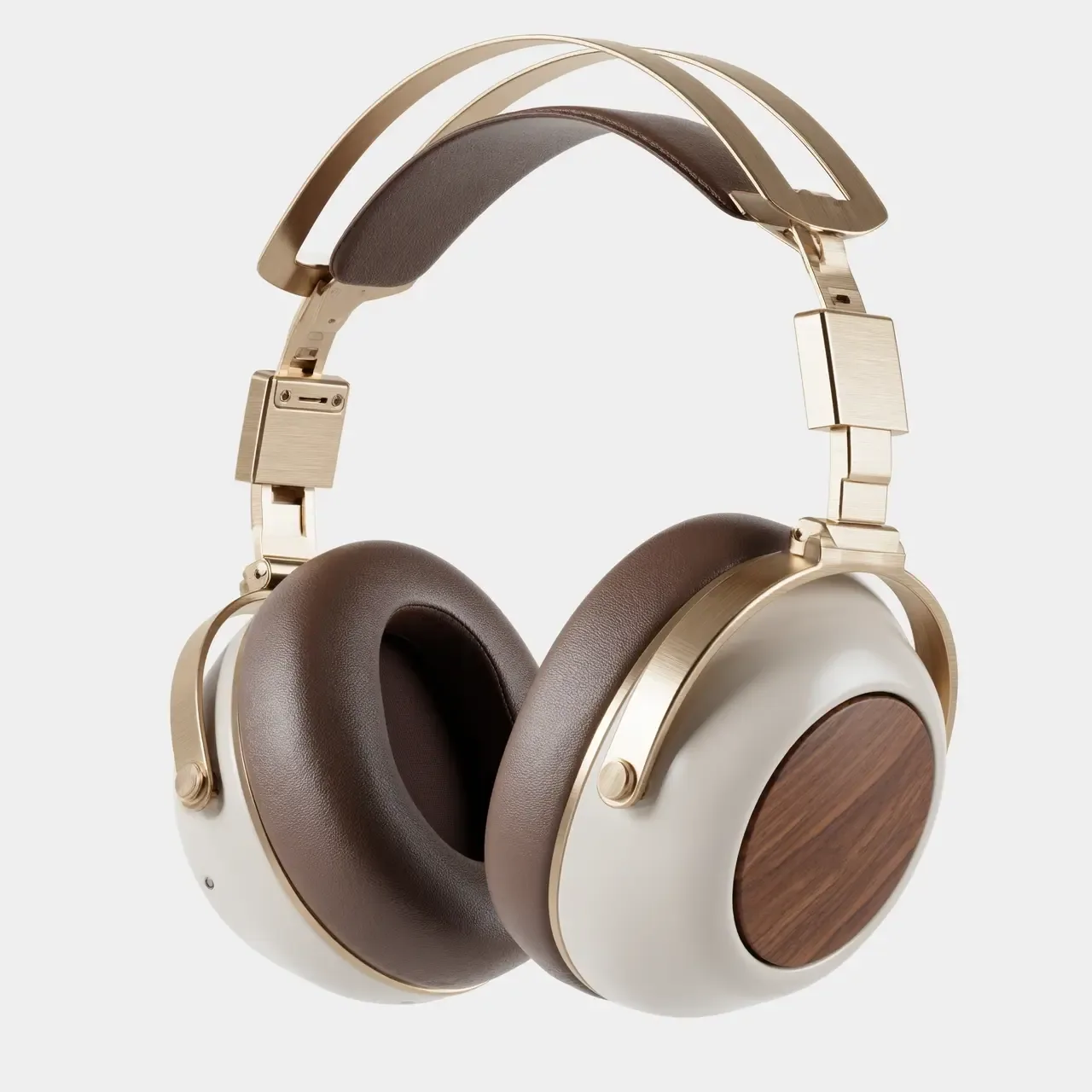
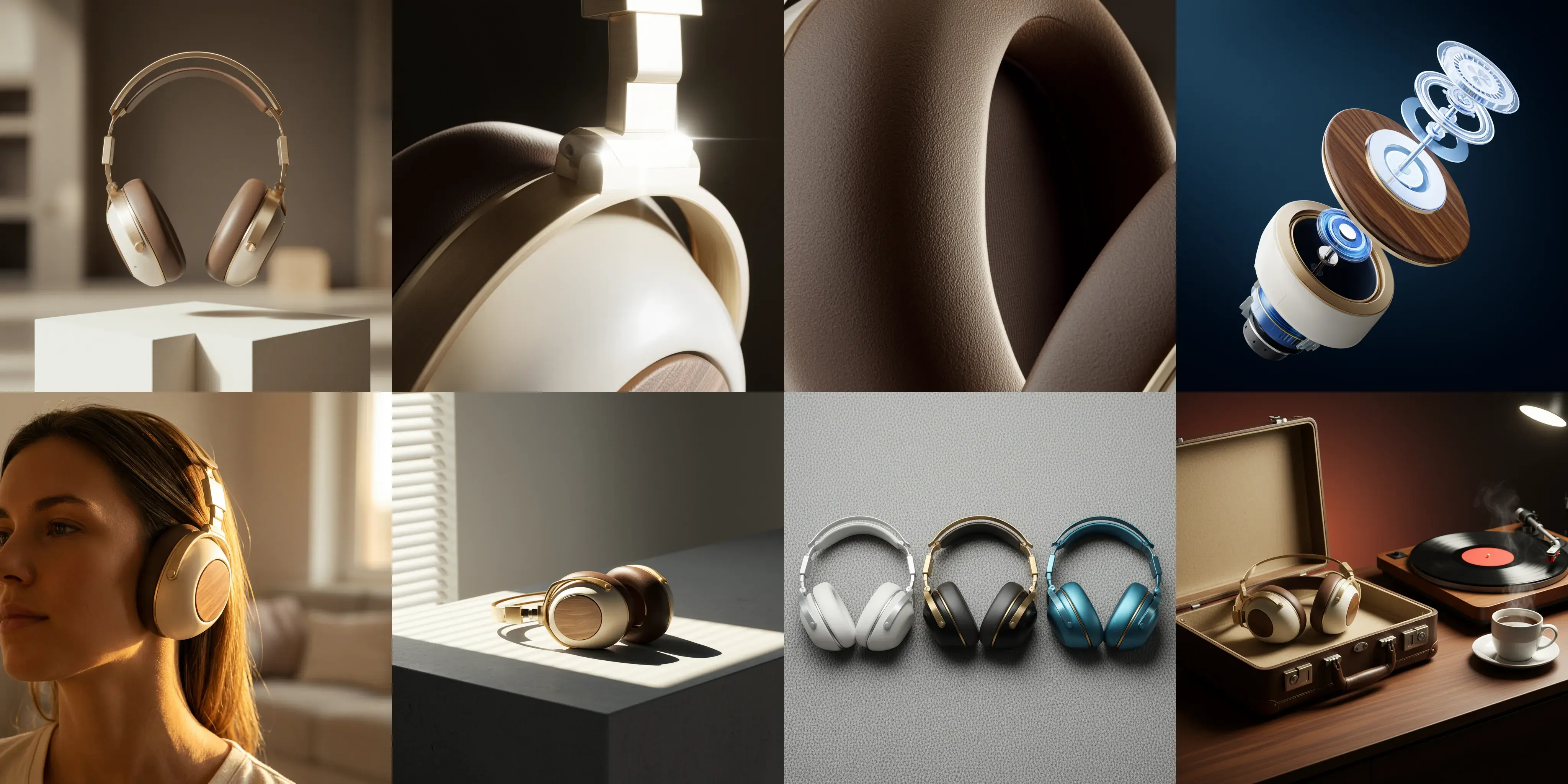
Caso 2: Design visual
Image 1: A commercial-grade product photography main visual cover image, front-view panoramic composition. A pair of retro-futuristic wireless over-ear headphones floats above a geometric plaster form, showcasing perfect symmetrical aesthetics. The materials are champagne gold metal and a cream-white shell. The background is a deeply blurred warm indoor light and shadow, with soft light outlining the product's silhouette. The white space in the image creates a strong sense of breathability, suggesting a quiet auditory experience. 8k ultra-high resolution, minimalist and premium feel.
Image 2: A 100mm macro shot of the product's material details, focusing closely on the connection of the headphone's telescopic arm. It clearly shows the texture of the champagne gold brushed aluminum alloy and the CNC precision-cut chamfers. A sharp backlight creates a starburst highlight on the metal edge. The background is dark to emphasize the industrial precision of the metal. The image quality is extremely sharp with no noise.
Image 3: An extreme close-up macro shot of the material, focusing on the surface of the mocha-colored protein leather earcups. Side lighting reveals the fine pore texture of the leather, the soft wrinkles from pressing, and the ventilation hole details, conveying ultimate skin-friendly comfort and resilience. The light and shadow are rich in layers, and the color tone is warm and moist. Ultra-high-definition macro photography.
Image 4: An artistic exploded view of the product, showing the internal sound units, noise-canceling chips, battery modules, and external walnut wood decorative panels and metal frame of the retro-futuristic headphones in a suspended, disassembled state. The background is a deep tech blue, and the internal components have a semi-transparent holographic technological texture, emphasizing the combination of internal precision craftsmanship and modern technology. High-tech commercial poster style.
Image 5: A 35mm humanistic shot of the wearing scenario, with a close-up on the model's jawline and neck, showing the perfect fit of the champagne gold headphones. Natural warm sunset light from the side-rear creates a rim light, with the edges of the hair glowing gold. The model's skin tone has a healthy and natural texture, creating a relaxed, immersive music-listening lifestyle feel. The background is a blurry home environment.
Image 6: A still life photograph paying homage to architectural light and shadow. The headphones are placed on a minimalist gray concrete table. Afternoon sunlight streams through blinds, casting striped hard shadows that cut across the matte cream-white body and champagne gold frame, creating a strong geometric composition of light and dark. This highlights the three-dimensional shape of the body and the contrast of materials. A clash of cool and warm color tones, minimalist composition.
Image 7: A top-down flat-lay composition showing the color options. Three headphones from the series in different color schemes—silver-white, black-gold, and blue-copper—are arranged side by side. The background is a highly textured gray wool felt cloth. Soft top lighting emphasizes the diversity of the CMF design and the delicate touch of the materials. The image is clean and orderly, in a design magazine style.
Image 8: A brand lifestyle family portrait still life photograph. The retro-futuristic headphones are placed next to their matching exquisite leather case. On the table are a vinyl record player, a spinning vinyl record, and a cup of steaming coffee. The background is rendered with warm ambient lighting, dominated by a deep walnut wood tone, conveying a brand philosophy that combines a slow-paced lifestyle with high-fidelity sound quality. Cinematic narrative lighting.
Fusão de múltiplas imagens
<table style={{width: "100%", borderCollapse: "separate", borderSpacing: "8px 0", tableLayout: "fixed"}}> <thead> <tr> <th style={{textAlign: "left", width: "69%", paddingBottom: "8px"}}>Imagem de entrada</th> <th style={{textAlign: "left", width: "31%", paddingBottom: "8px"}}>Imagem de saída</th> </tr> </thead>
<tbody>
<tr>
<td style={{verticalAlign: "top"}}>
 </td>
<td style={{verticalAlign: "top"}}>
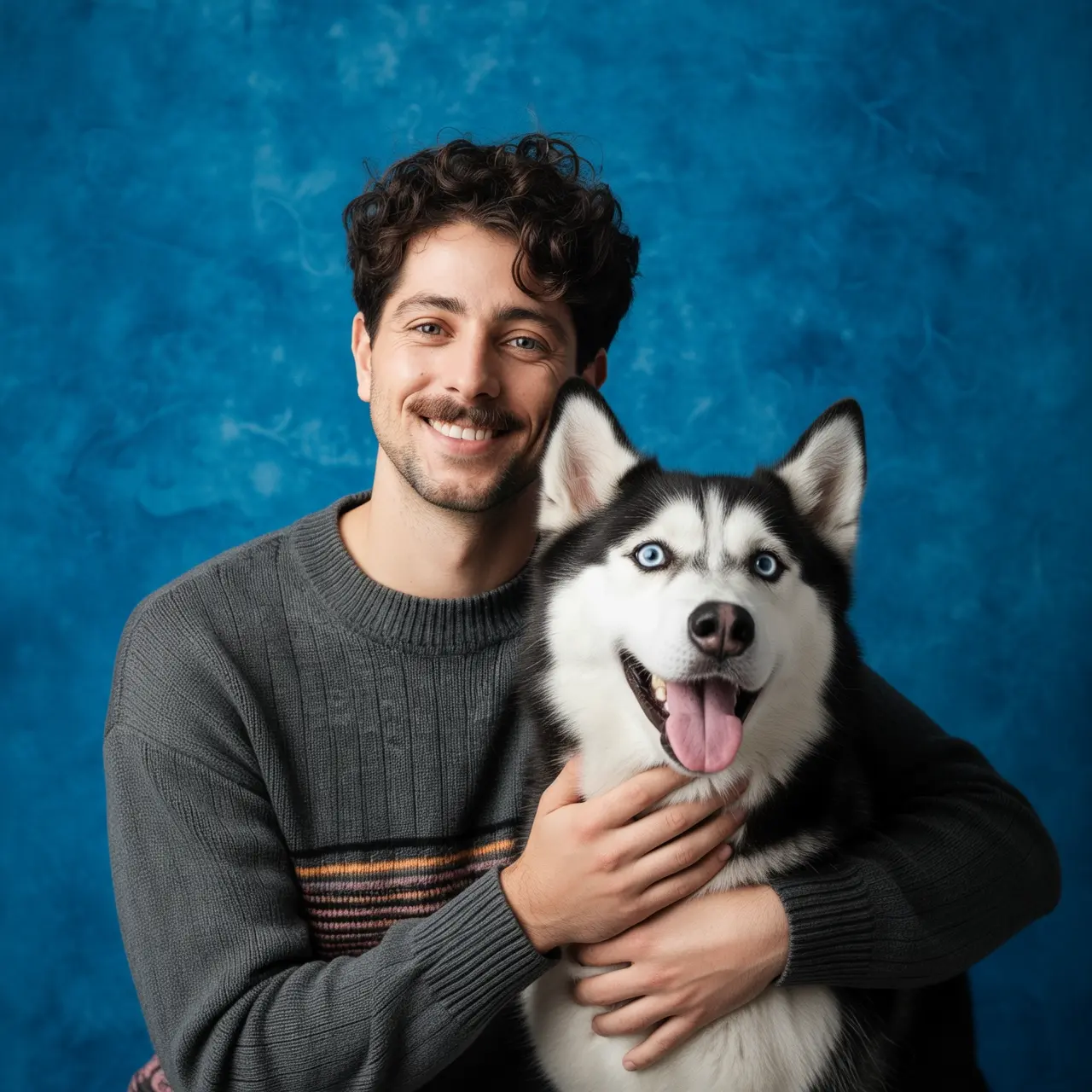
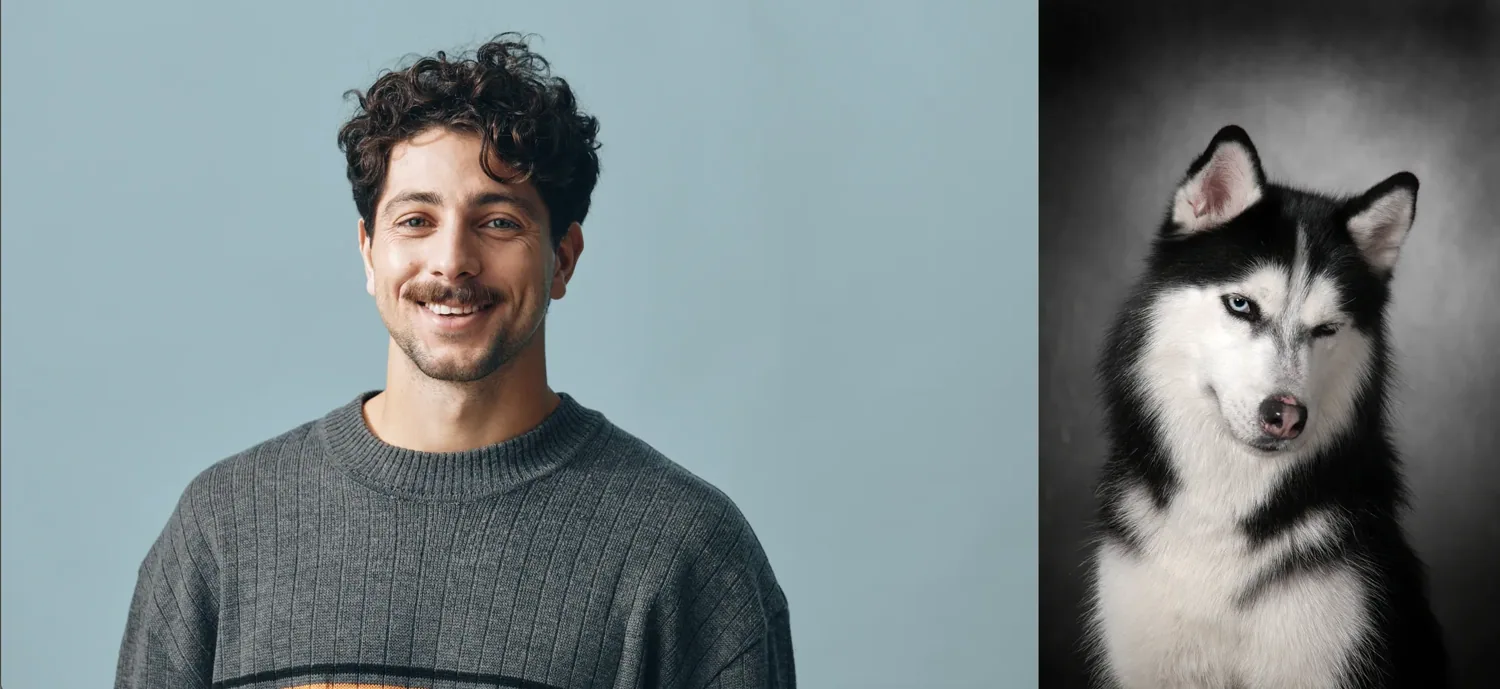
Tire um retrato do menino da imagem 1 e do cachorro da imagem 2. O menino está abraçando o cachorro e os dois estão muito felizes. Iluminação suave de estúdio, fundo texturizado azul.
</td>
</tr>
</tbody> </table>
<table style={{width: "100%", borderCollapse: "separate", borderSpacing: "8px 0", tableLayout: "fixed"}}>
<tbody>
<tr>
<td style={{verticalAlign: "top", width: "75%"}}>
 </td>
<td style={{verticalAlign: "top", width: "25%"}}>
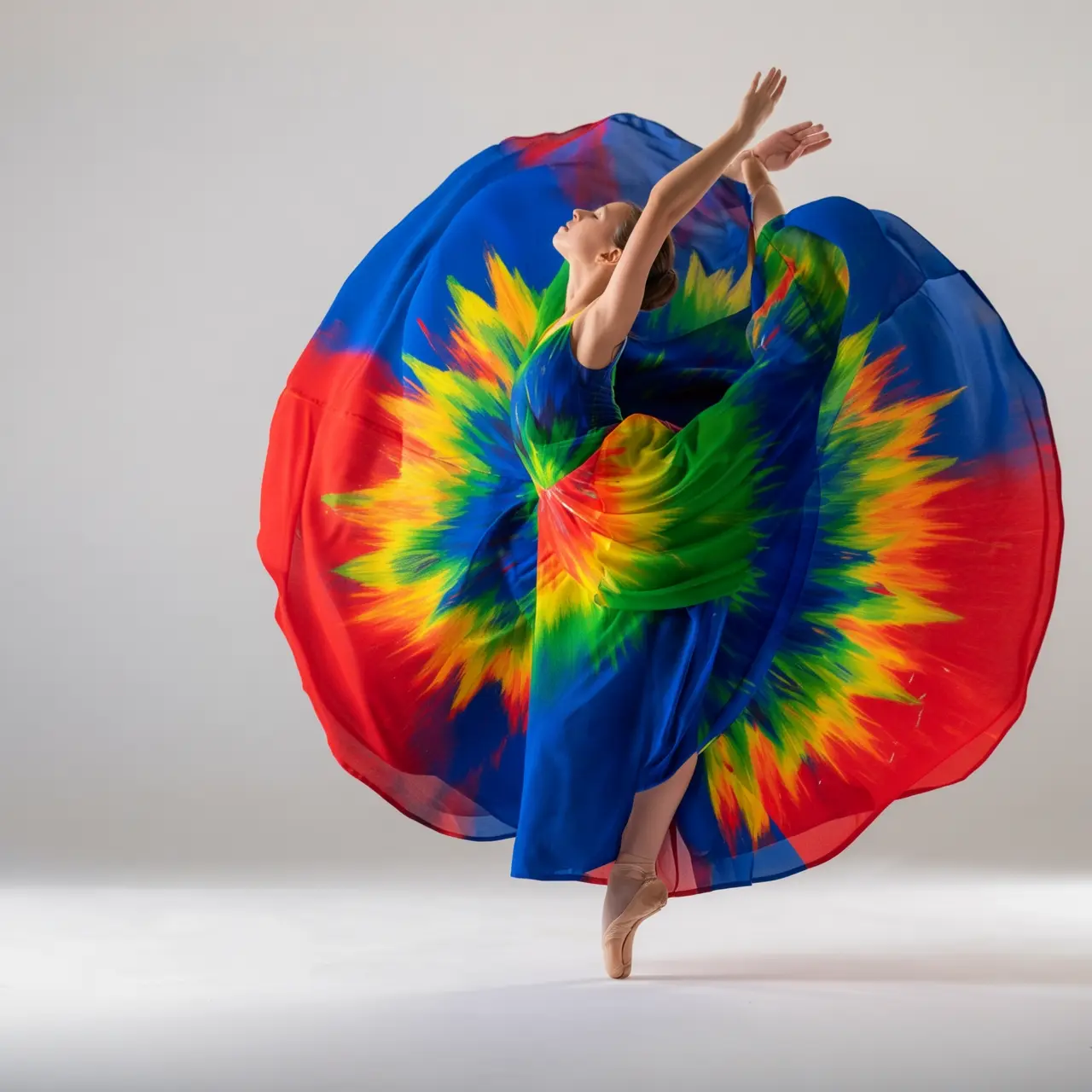
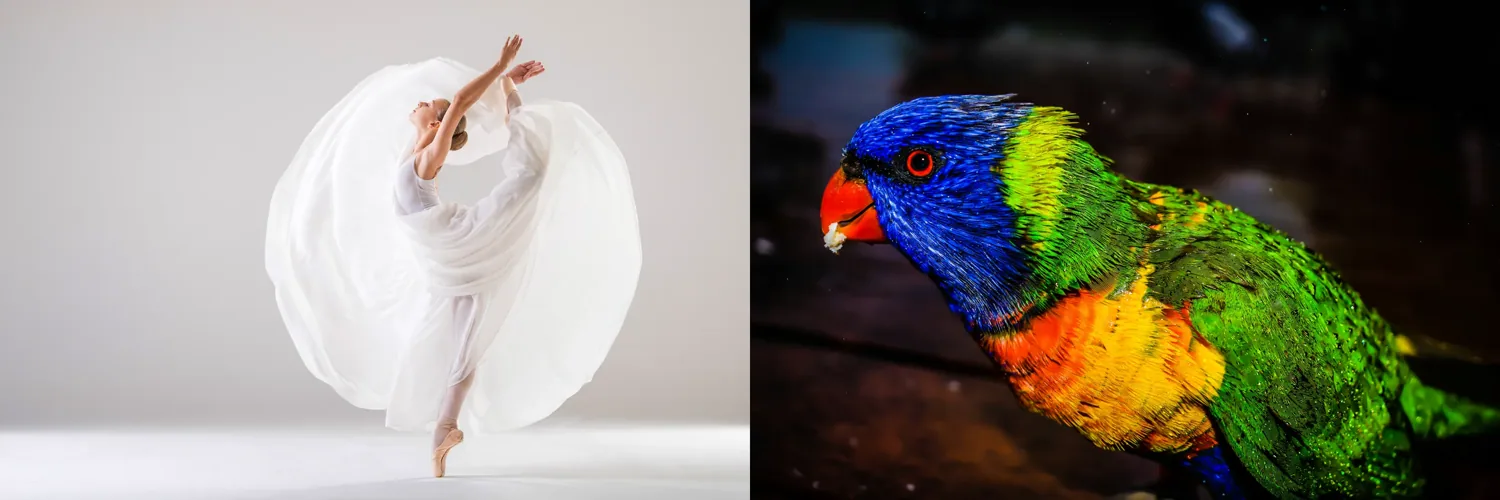
Recolorir o vestido da imagem 1 usando as cores do pássaro da imagem 2. Torne-o artístico, mas mantenha o estilo do vestido e do modelo inalterados.
</td>
</tr>
</tbody> </table>
Preservação de recurso de assunto
<table style={{width: "100%", borderCollapse: "separate", borderSpacing: "8px 0", tableLayout: "fixed"}}> <thead> <tr> <th style={{textAlign: "left", width: "50%", paddingBottom: "8px"}}>Imagem de entrada</th> <th style={{textAlign: "left", width: "50%", paddingBottom: "8px"}}>Imagem de saída</th> </tr> </thead>
<tbody>
<tr>
<td style={{verticalAlign: "top"}}>
 </td>
<td style={{verticalAlign: "top"}}>
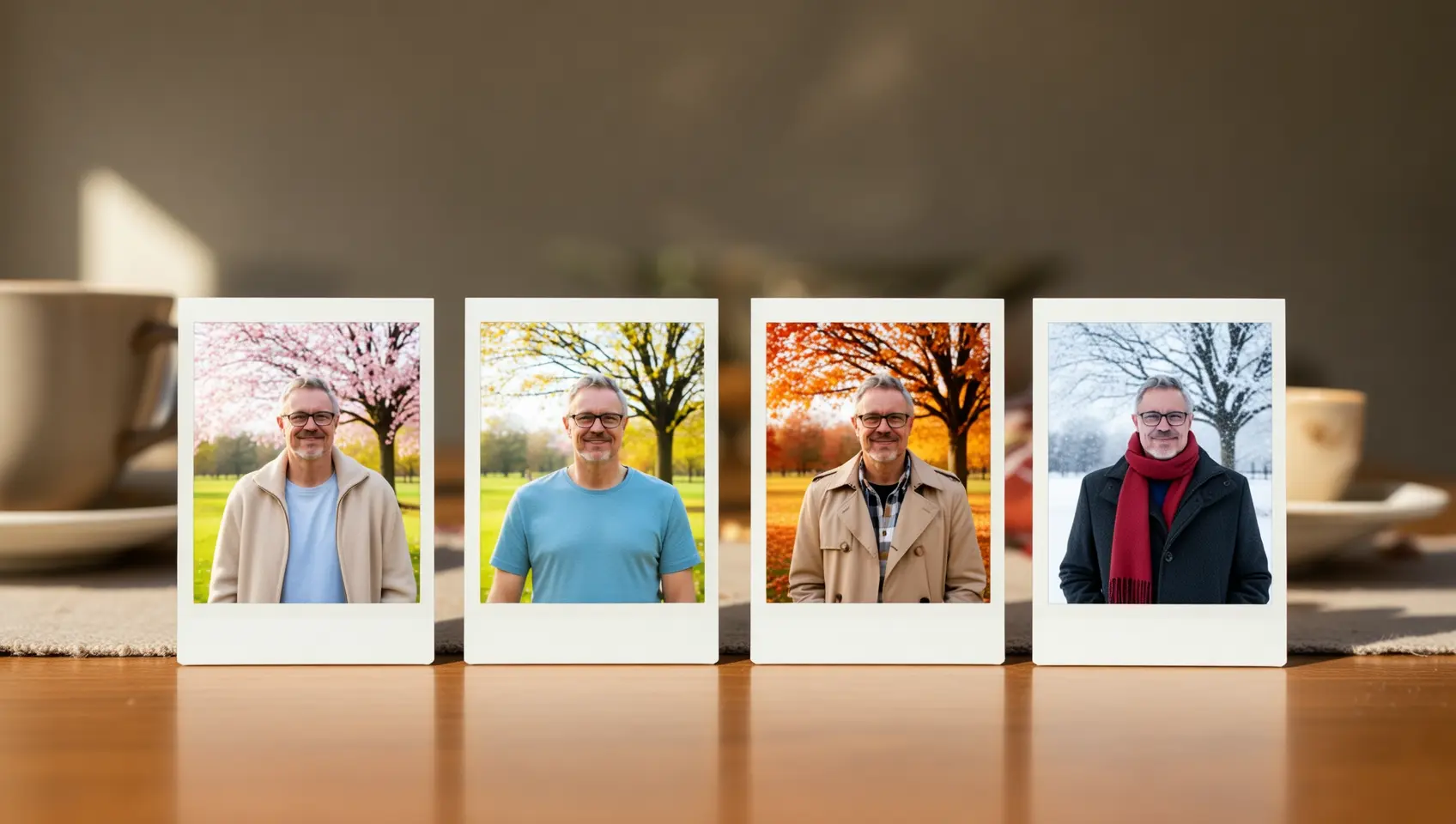
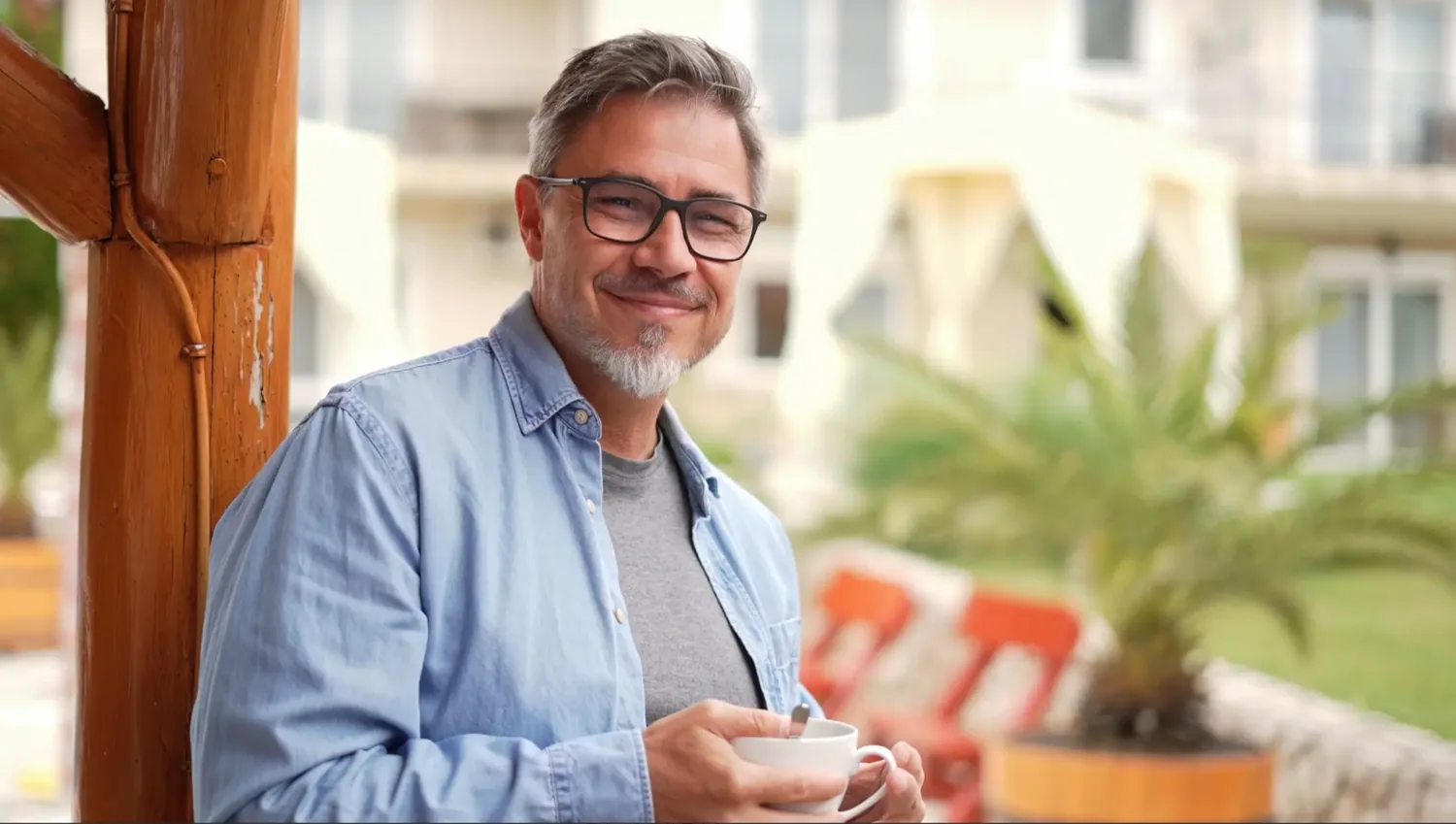
Por favor, gere um conjunto de quatro fotos Polaroid com o tema "Mudanças Sazonais". Cada foto é tirada no mesmo local, debaixo de uma árvore em um parque, mas mostra cenas de primavera, verão, outono e inverno, respectivamente. O traje da pessoa também deve combinar com a estação: jaqueta leve na primavera, camisa de manga curta no verão, sobretudo no outono e lenço e casaco grosso no inverno. Coloque este conjunto de fotos em uma mesa de jantar.
</td>
</tr>
</tbody> </table>
Detecção e segmentação
<table style={{width: "100%", borderCollapse: "separate", borderSpacing: "8px 0", tableLayout: "fixed"}}> <thead> <tr> <th style={{textAlign: "left", width: "50%", paddingBottom: "8px"}}>Imagem de entrada</th> <th style={{textAlign: "left", width: "50%", paddingBottom: "8px"}}>Imagem de saída</th> </tr> </thead>
<tbody>
<tr>
<td style={{verticalAlign: "top"}}>
 </td>
<td style={{verticalAlign: "top"}}>
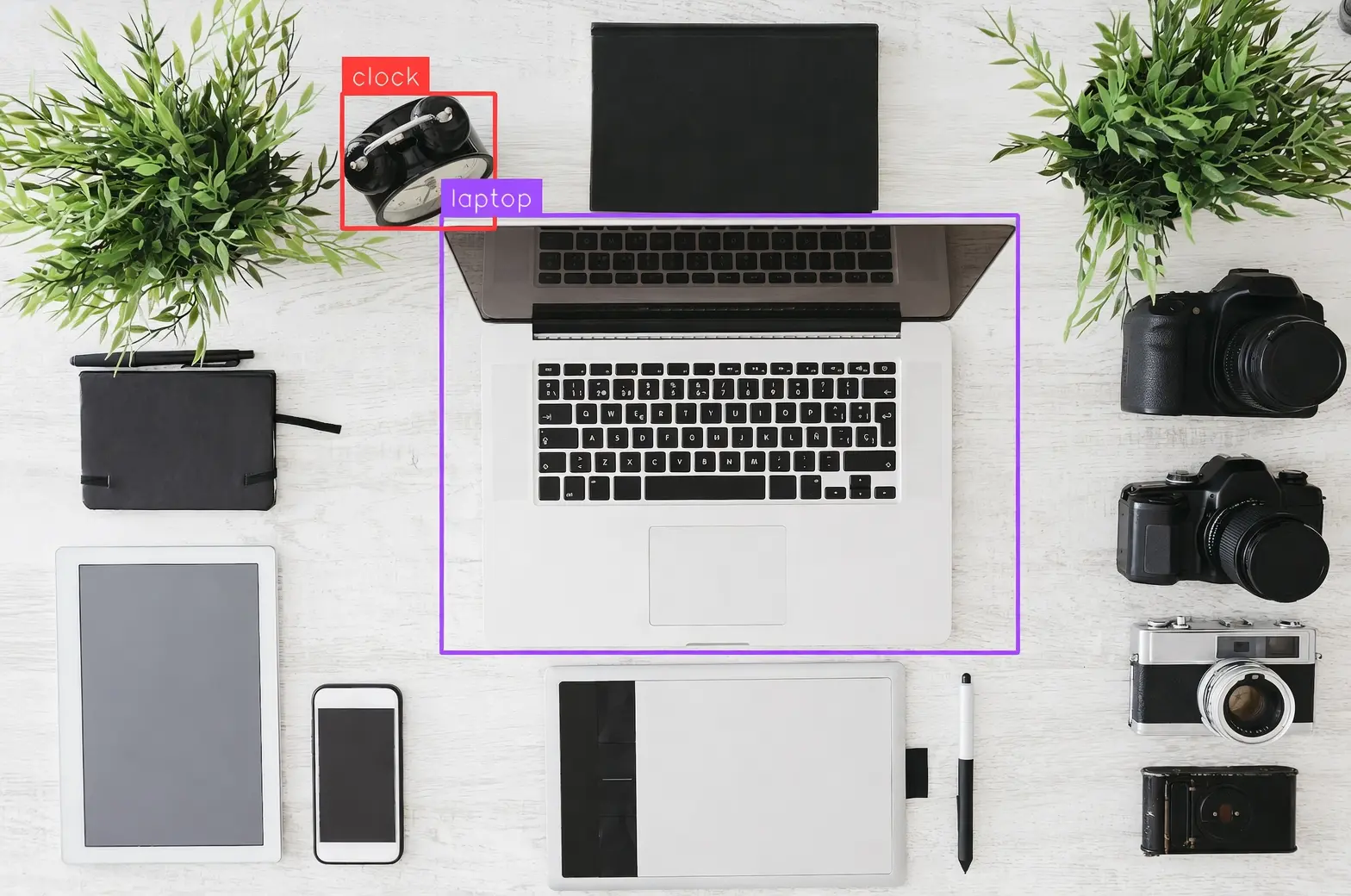
Detecte o laptop e o despertador na imagem, desenhe caixas delimitadoras e rotule-os como "laptop" e "relógio".
</td>
</tr>
<tr>
<td style={{verticalAlign: "top"}}>
</td>
<td style={{verticalAlign: "top"}}>
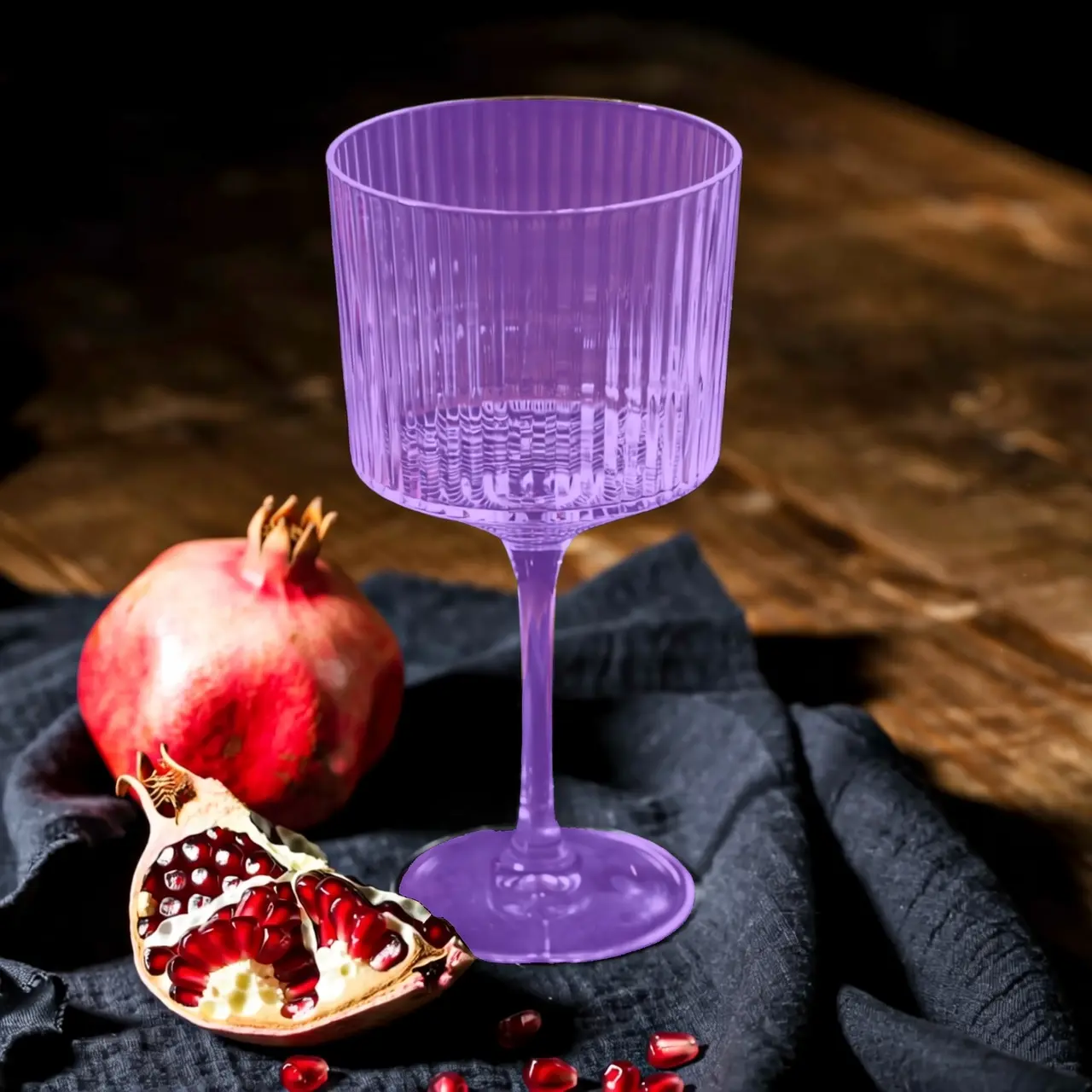
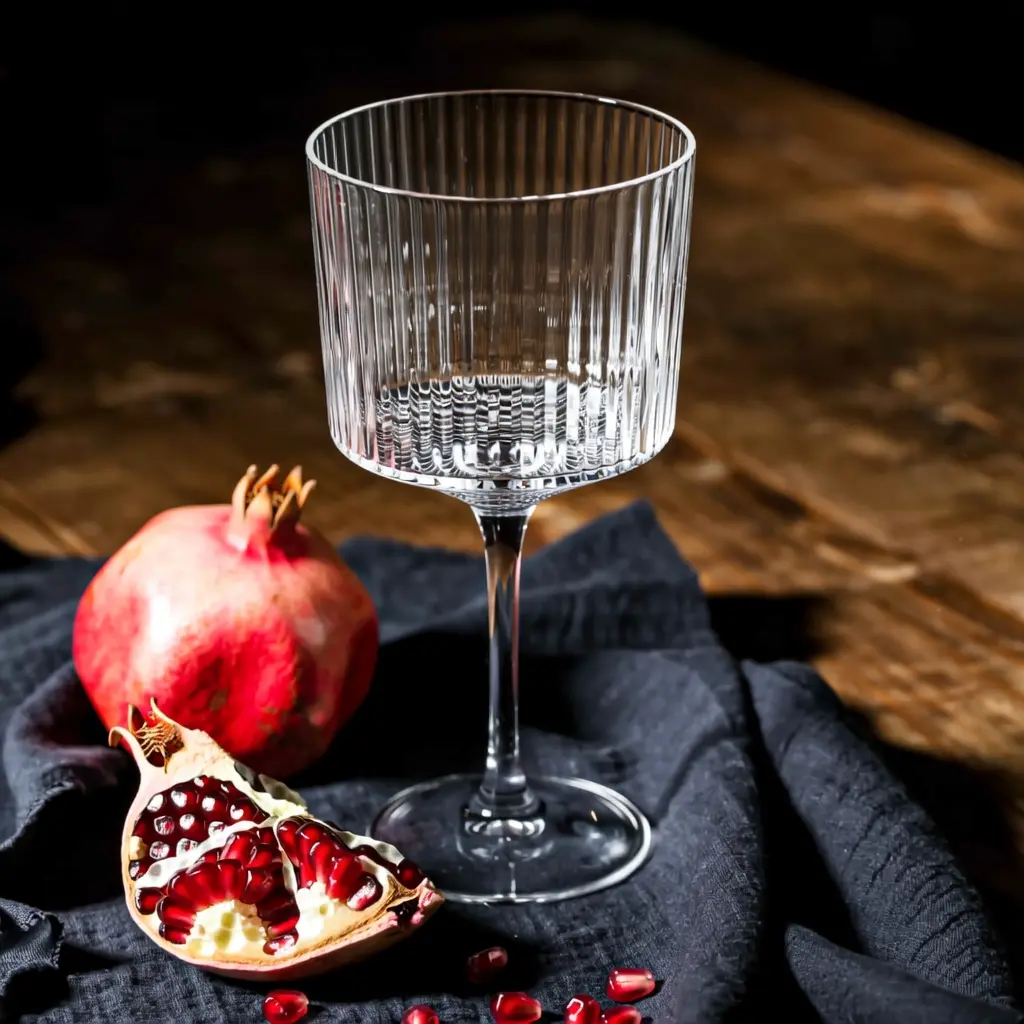
Segmente o copo de vidro na imagem.
</td>
</tr>
</tbody> </table>
Extrair Elementos
<table style={{width: "100%", borderCollapse: "separate", borderSpacing: "8px 0", tableLayout: "fixed"}}> <thead> <tr> <th style={{textAlign: "left", width: "33%", paddingBottom: "8px"}}>Imagem de entrada</th> <th style={{textAlign: "left", width: "67%", paddingBottom: "8px"}}>Imagem de saída</th> </tr> </thead>
<tbody>
<tr>
<td style={{verticalAlign: "top"}}>
 </td>
<td style={{verticalAlign: "top"}}>
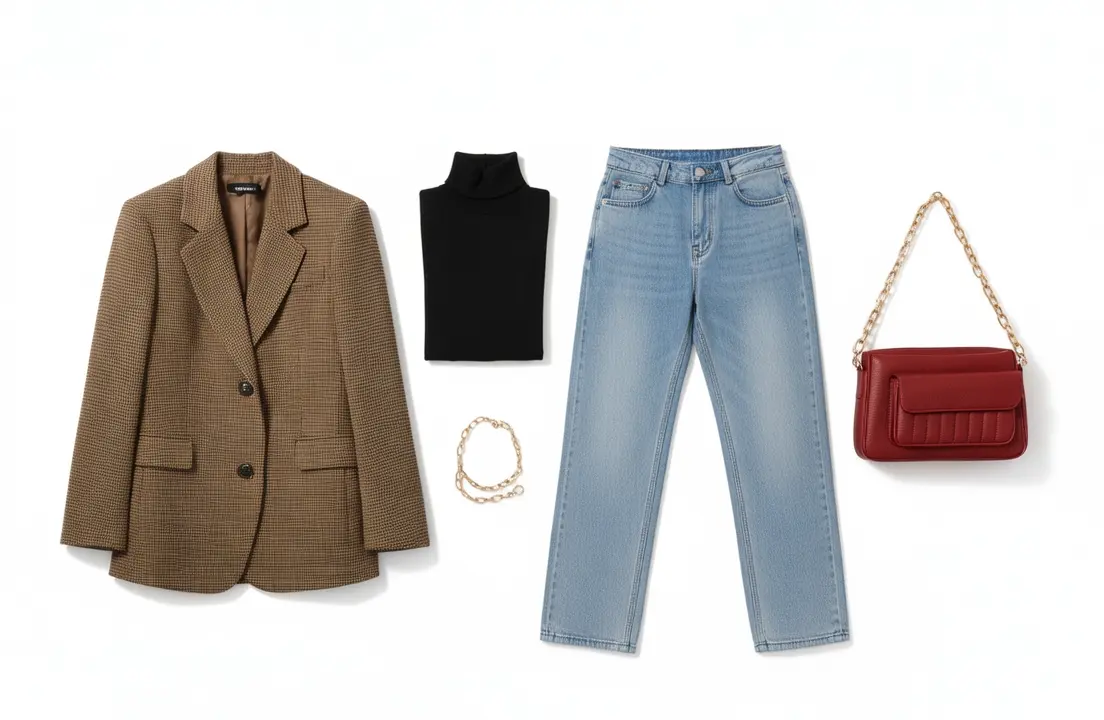
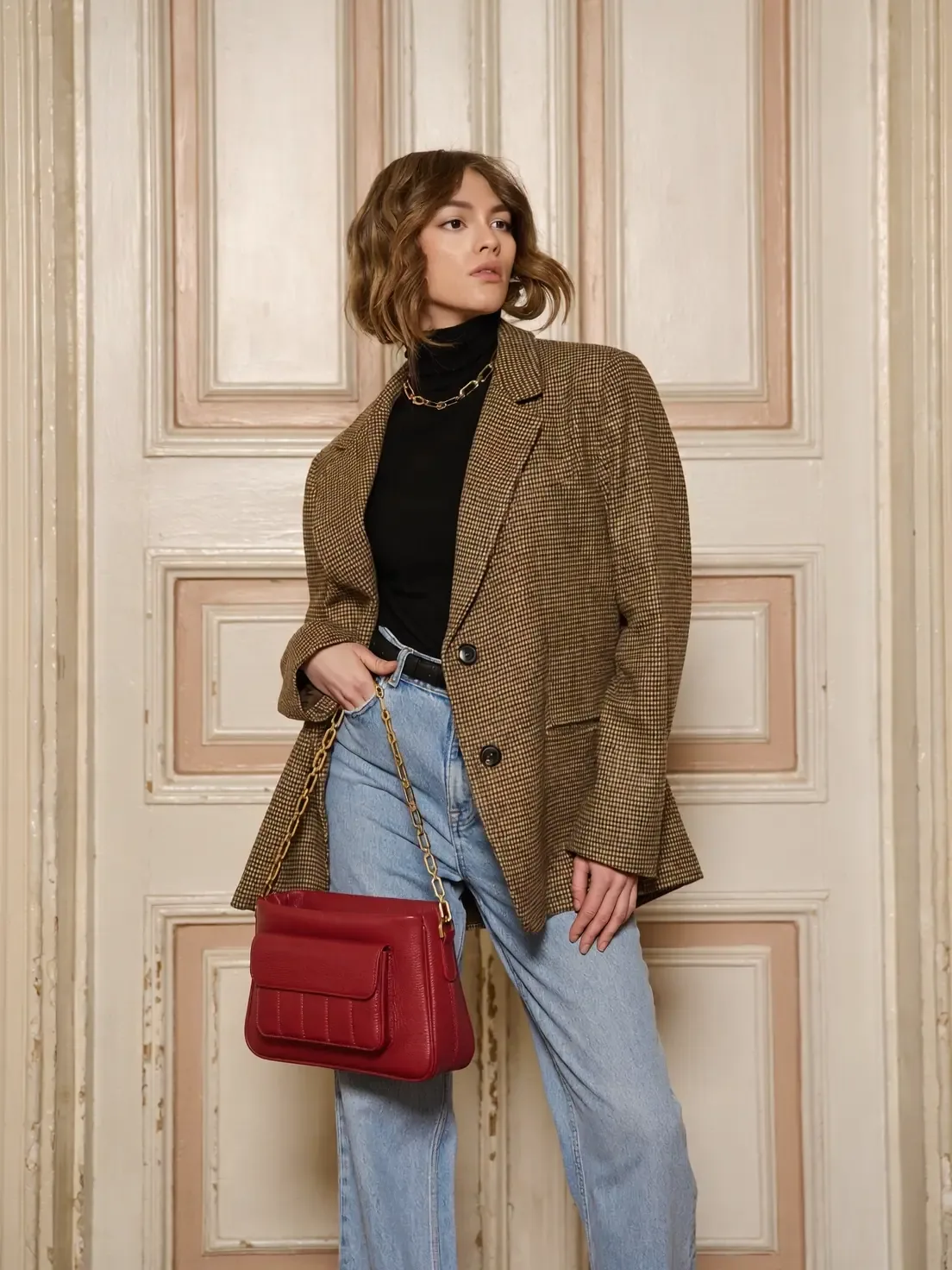
Extraia as peças de roupa da foto enviada e organize-as em uma exibição plana sobre um fundo branco puro. Mantenha detalhes realistas e texturas de materiais. Estilo de comércio eletrônico de moda, adequado para exibição de roupas.
</td>
</tr>
</tbody> </table>
Edição de texto
<table style={{width: "100%", borderCollapse: "separate", borderSpacing: "8px 0", tableLayout: "fixed"}}> <thead> <tr> <th style={{textAlign: "left", width: "50%", paddingBottom: "8px"}}>Imagem de entrada</th> <th style={{textAlign: "left", width: "50%", paddingBottom: "8px"}}>Imagem de saída</th> </tr> </thead>
<tbody>
<tr>
<td style={{verticalAlign: "top"}}>
 </td>
<td style={{verticalAlign: "top"}}>
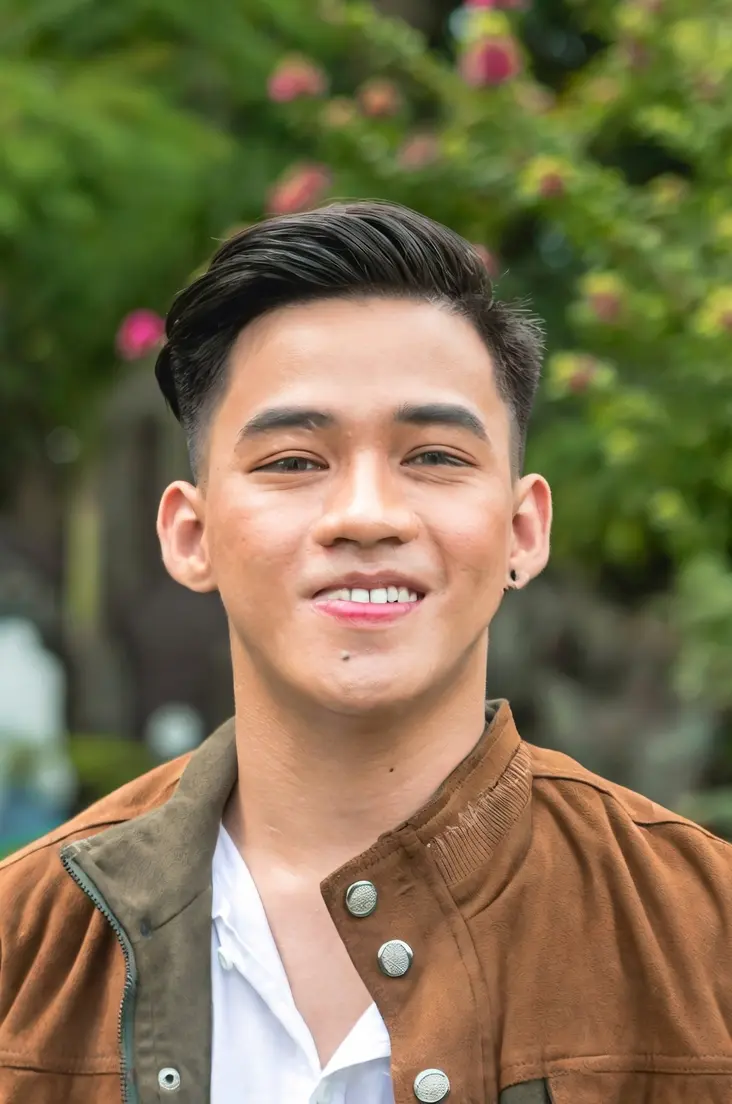
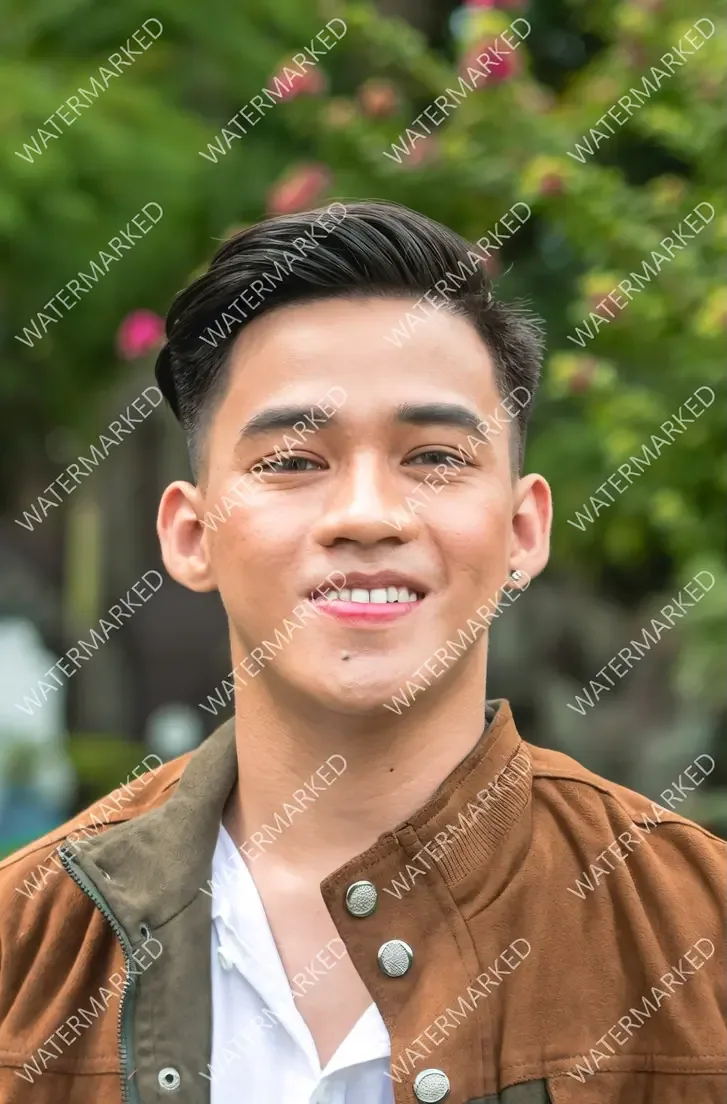
Remova todas as marcas d'água da imagem.
</td>
</tr>
<tr>
<td style={{verticalAlign: "top"}}>
</td>
<td style={{verticalAlign: "top"}}>
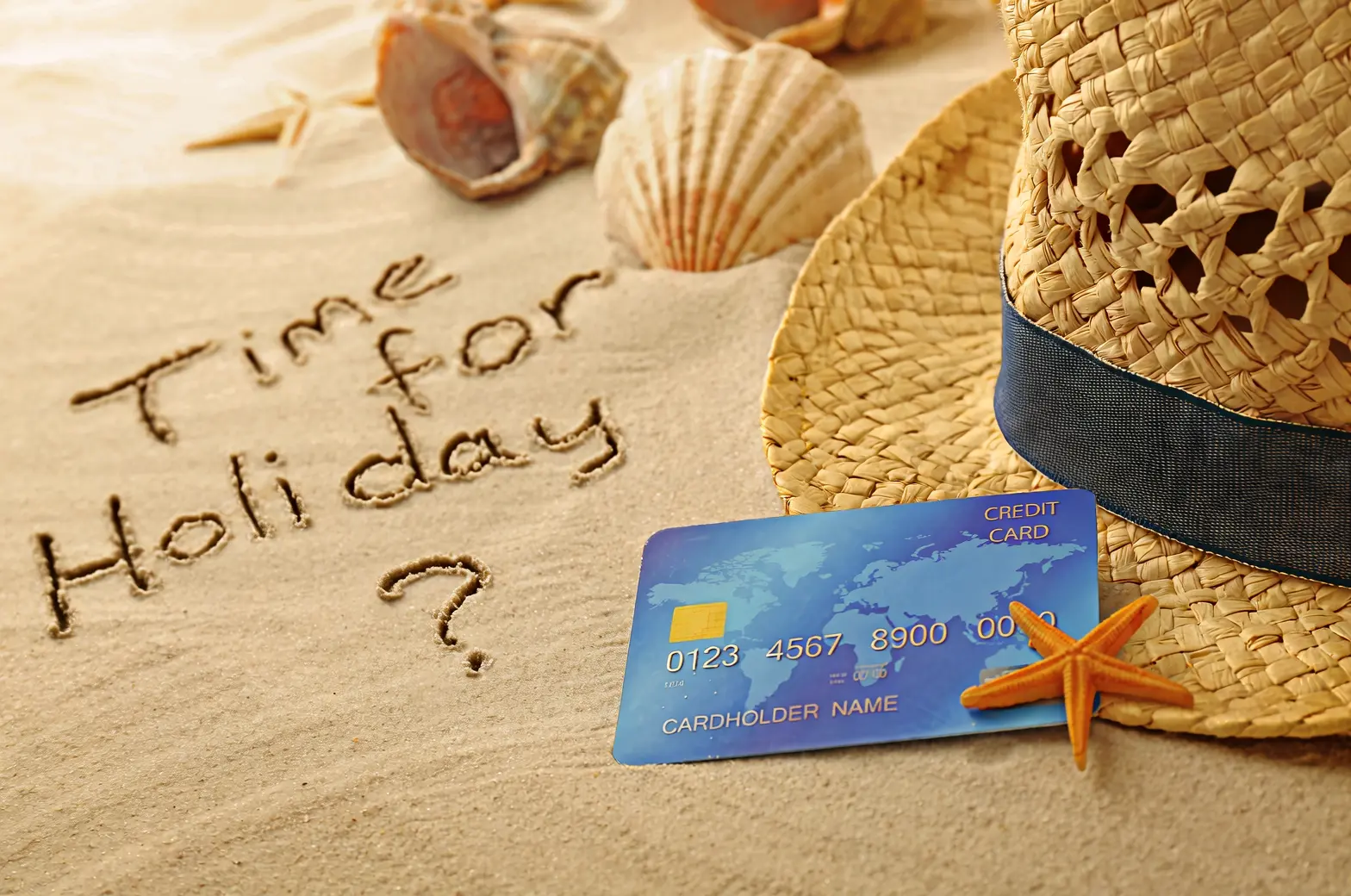
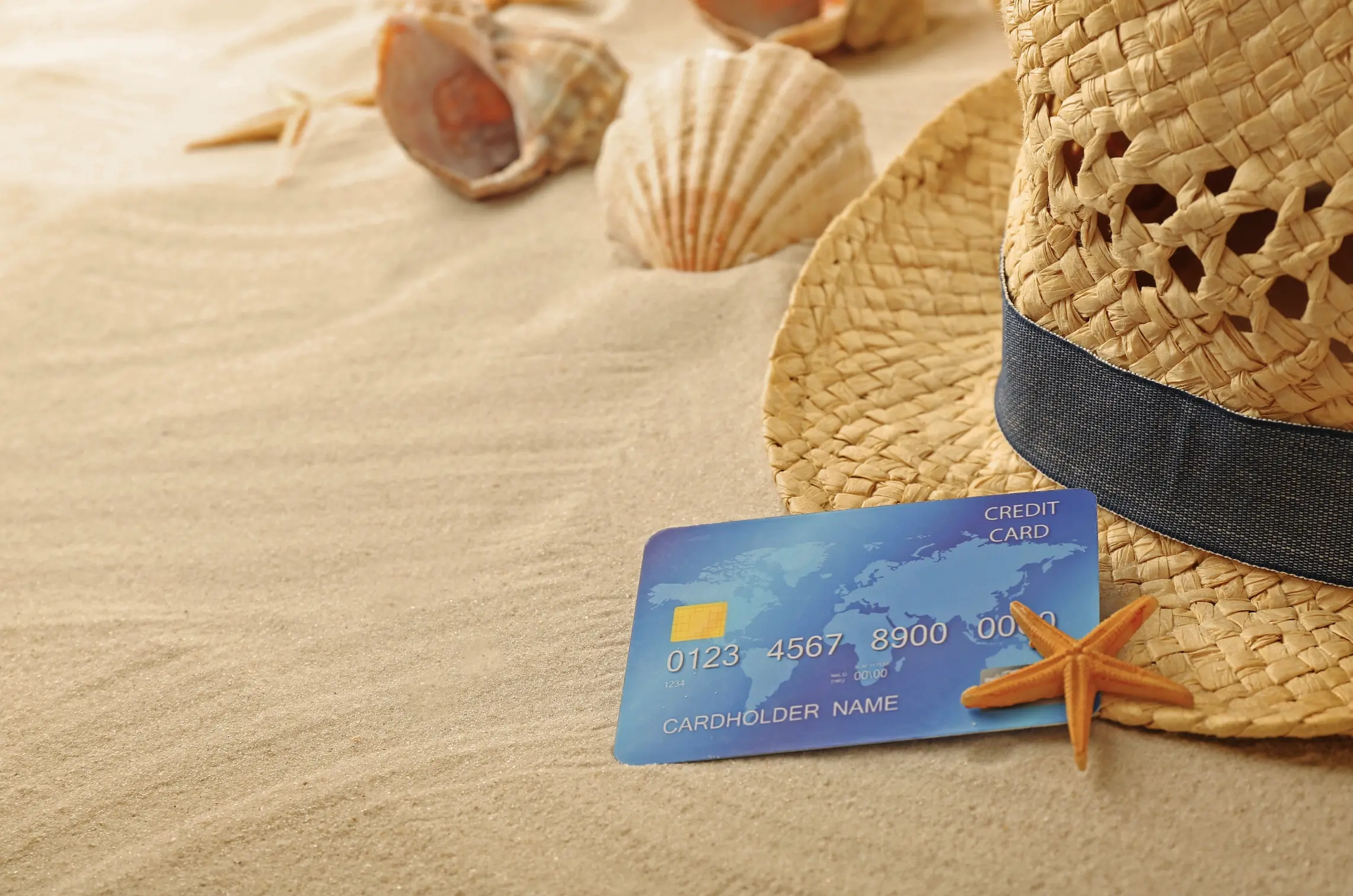
Escreva casualmente "Hora de férias?" na areia com a mão.
</td>
</tr>
<tr>
<td style={{verticalAlign: "top"}}>

</td>
<td style={{verticalAlign: "top"}}>
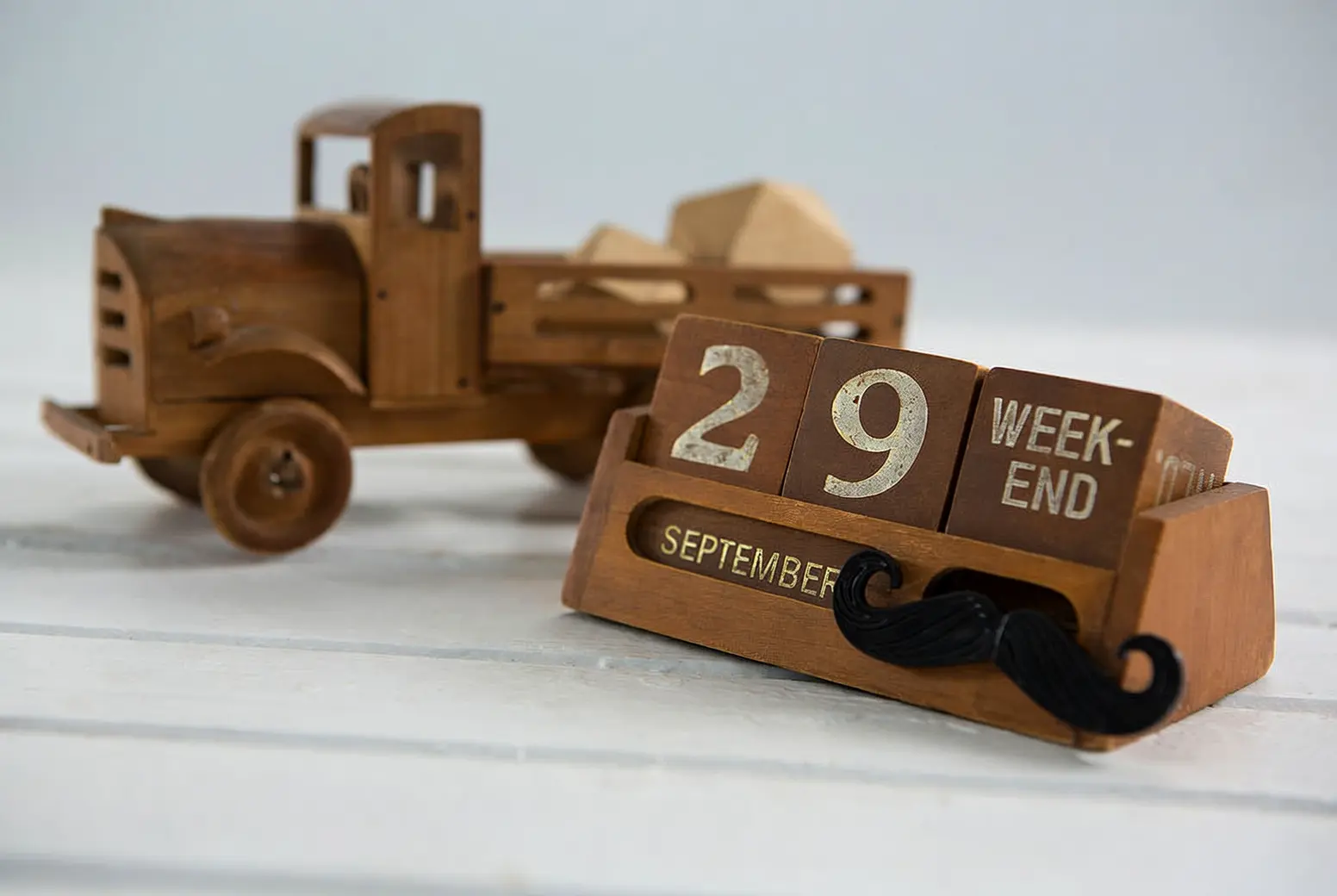
Alterar 18 para 29 e JUNHO para SETEMBRO.
</td>
</tr>
</tbody> </table>
Edição de lentes e pontos de vista
<table style={{width: "100%", borderCollapse: "separate", borderSpacing: "8px 0", tableLayout: "fixed"}}> <thead> <tr> <th style={{textAlign: "left", width: "50%", paddingBottom: "8px"}}>Imagem de entrada</th> <th style={{textAlign: "left", width: "50%", paddingBottom: "8px"}}>Imagem de saída</th> </tr> </thead>
<tbody>
<tr>
<td style={{verticalAlign: "top"}}>
 </td>
<td style={{verticalAlign: "top"}}>
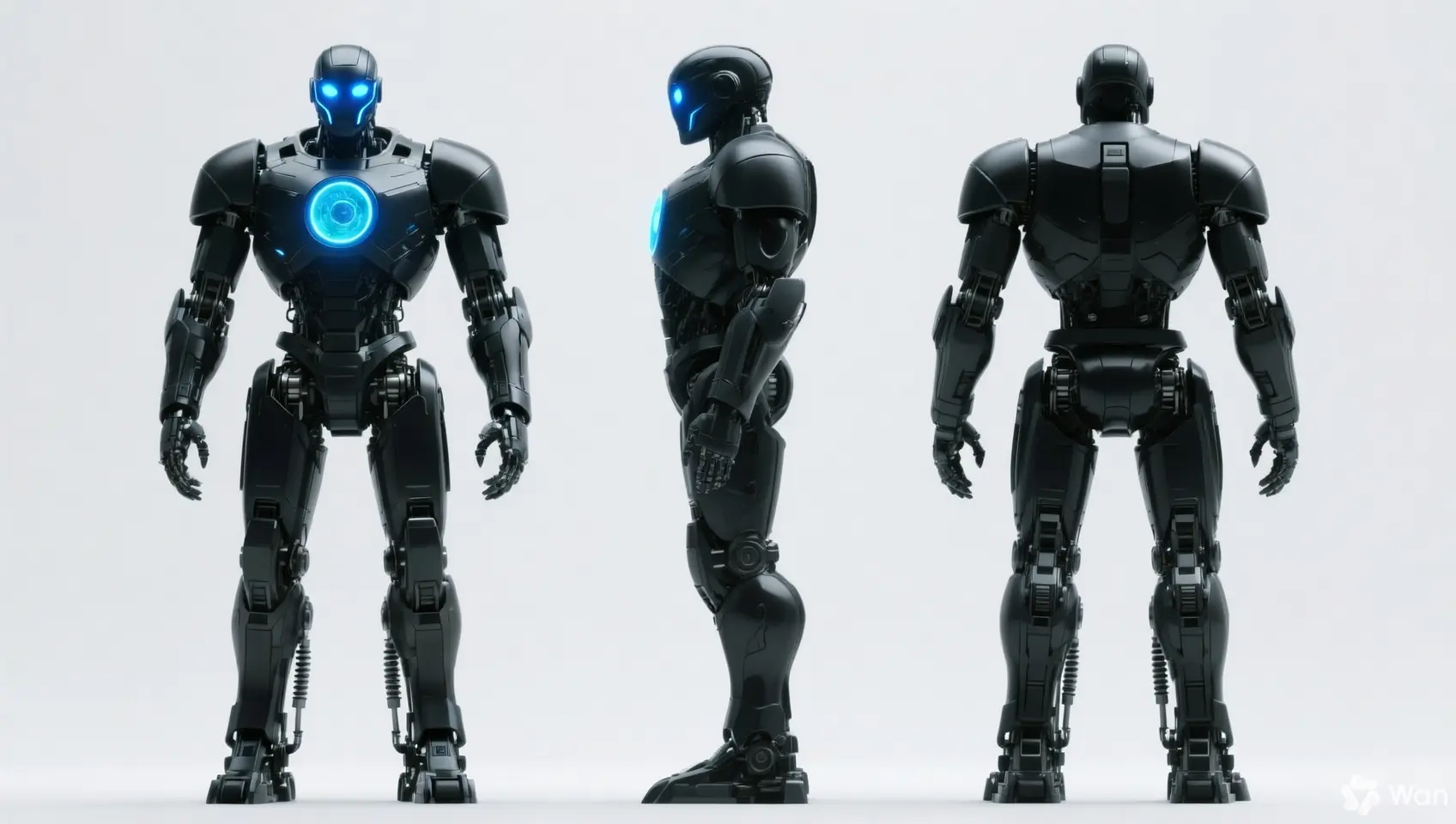
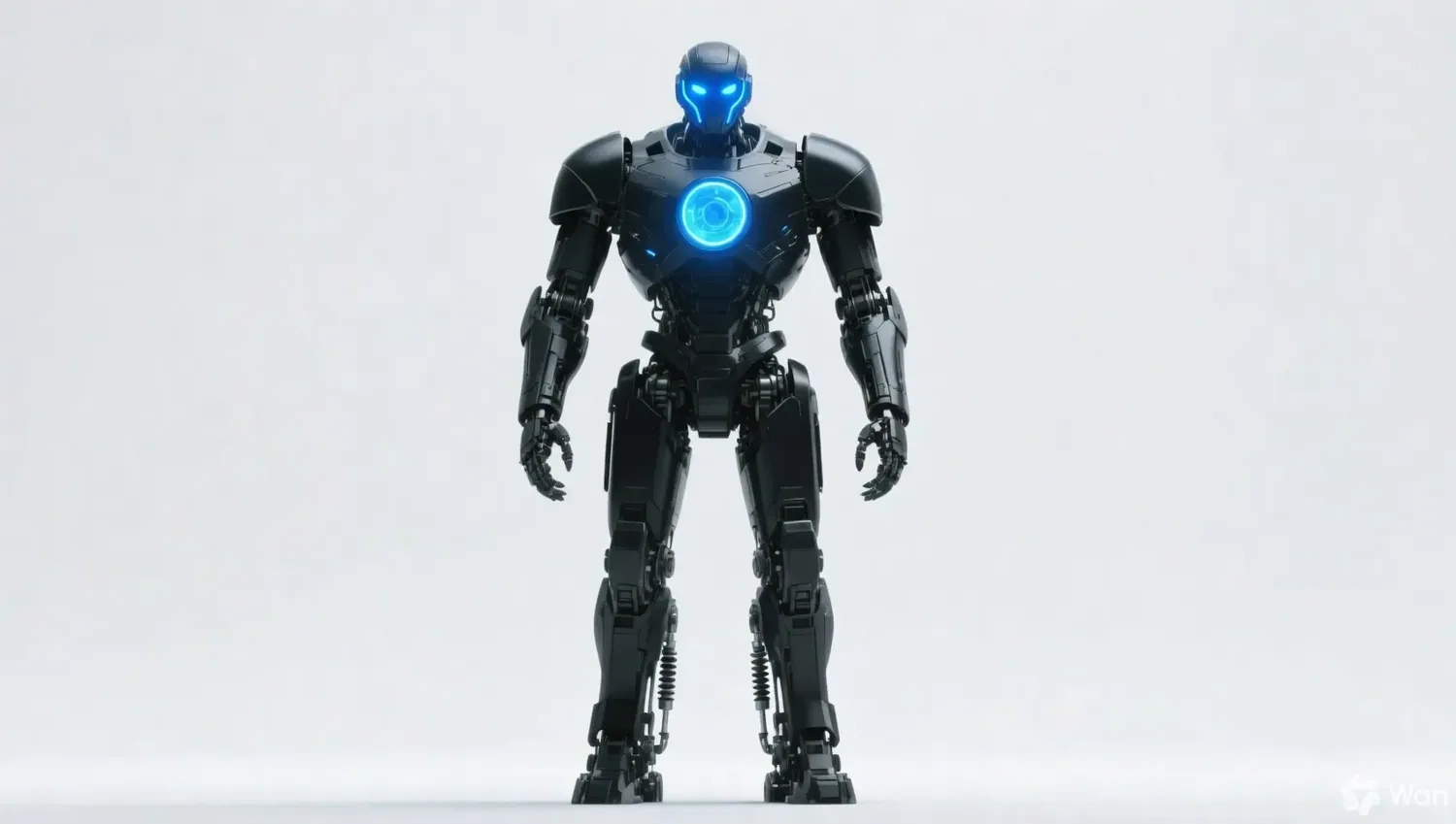
Mantenha as características da pessoa inalteradas e gere visualizações frontal, lateral e traseira.
</td>
</tr>
<tr>
<td style={{verticalAlign: "top"}}>
</td>
<td style={{verticalAlign: "top"}}>
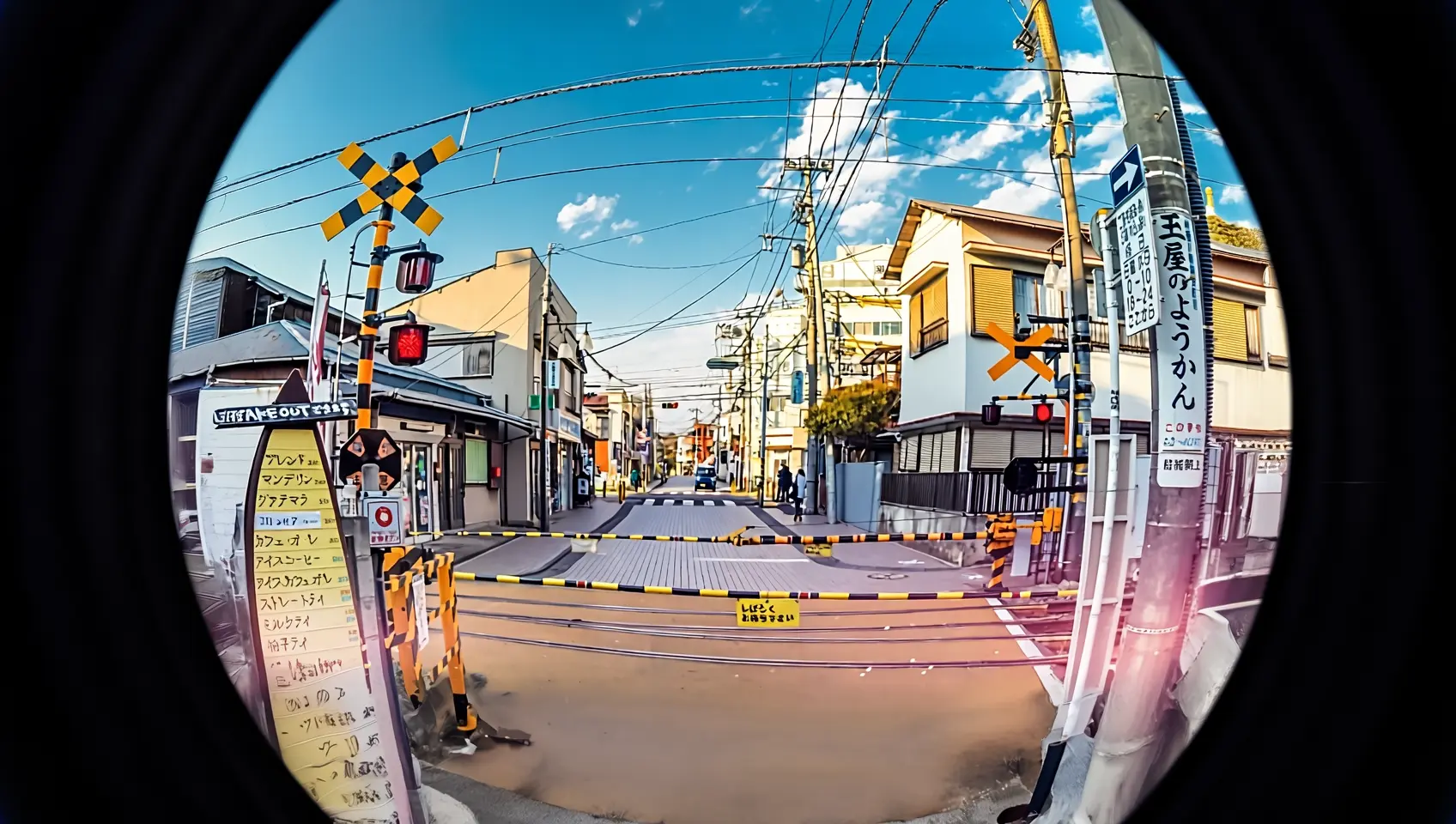
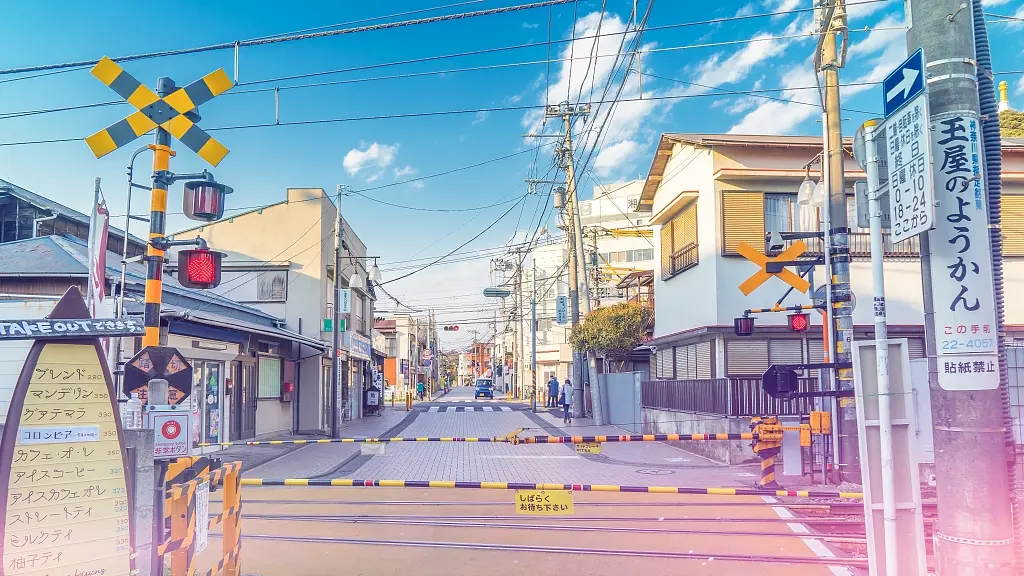
Refaça esta foto com uma lente olho de peixe.
</td>
</tr>
</tbody> </table>
Instruções de entrada
Especificações da imagem de entrada
| Especificação | wan2.7-image-pro, wan2.7-image | wan2.6-image | wan2.5-i2i-preview |
|---|---|---|---|
| Número de imagens de entrada | 0 a 9 (0 para modo texto para imagem) | Edição de imagem: 1 a 4 / Mídia mista: 0 a 1 | 1 a 3 |
| Formato de imagem | JPEG, JPG, PNG (canal alfa não suportado), BMP, WEBP | JPEG, JPG, PNG (canal alfa não suportado), BMP, WEBP | JPEG, JPG, PNG (canal alfa não suportado), BMP, WEBP |
| Dimensões da imagem | [240, 8000] pixels | [240, 8000] pixels | [384, 5000] pixels |
| Tamanho do arquivo | ≤ 20 MB | ≤ 10 MB | ≤ 10 MB |
| Proporção | [1:8, 8:1] | Sem limite | [1:4, 4:1] |
Ordem de entrada da imagem
<table style={{width: "100%", borderCollapse: "separate", borderSpacing: "8px 0", tableLayout: "fixed"}}> <thead> <tr> <th style={{textAlign: "left", width: "27%", paddingBottom: "8px"}}>Imagem de entrada 1</th> <th style={{textAlign: "left", width: "20%", paddingBottom: "8px"}}>Imagem de entrada 2</th> <th style={{textAlign: "left", width: "27%", paddingBottom: "8px"}}>Imagem de saída</th>
  <th style={{textAlign: "left", width: "27%", paddingBottom: "8px"}} />
</tr>
</thead>
<tbody>
<tr>
<td style={{verticalAlign: "top"}}>
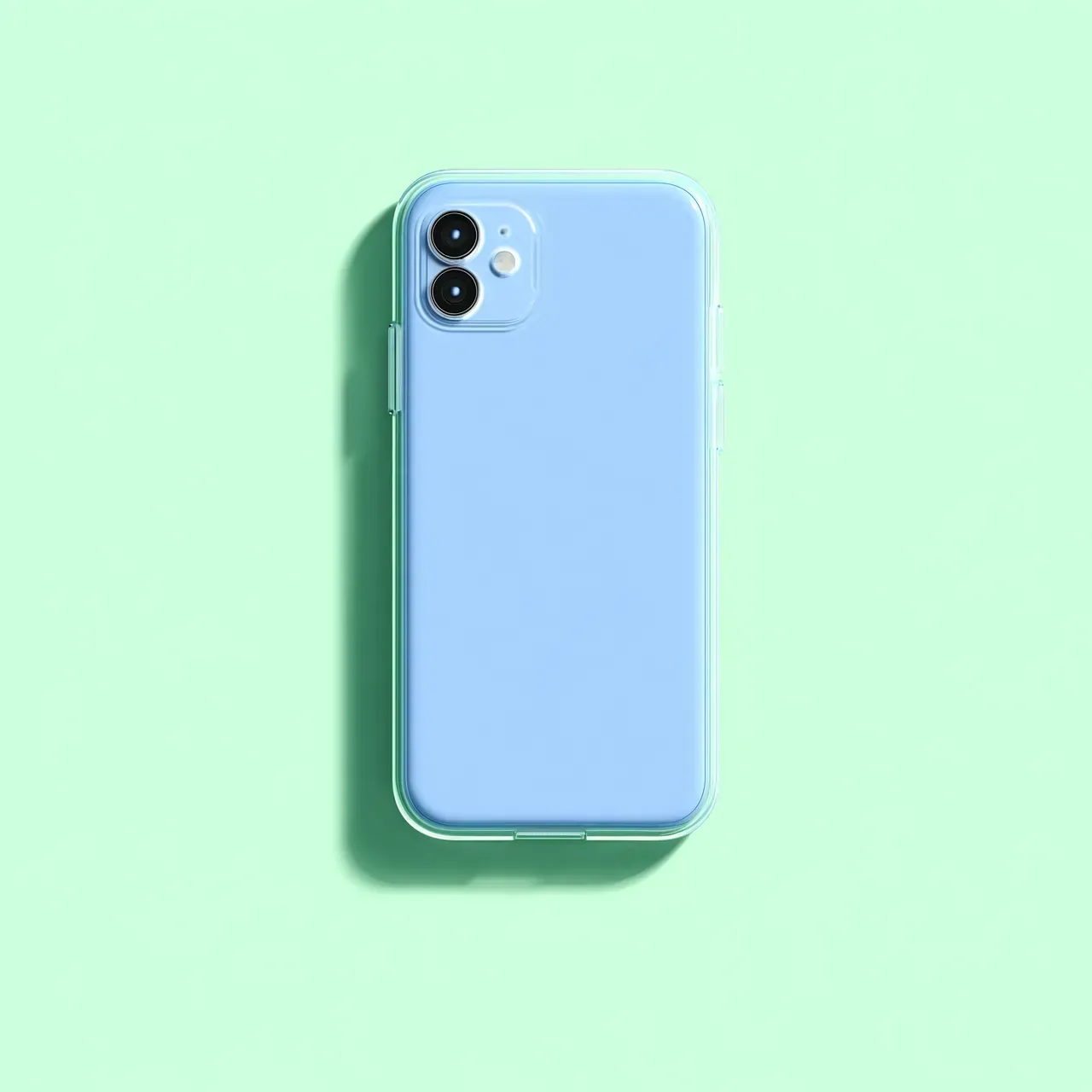
Imagem 1
</td>
<td style={{verticalAlign: "top"}}>
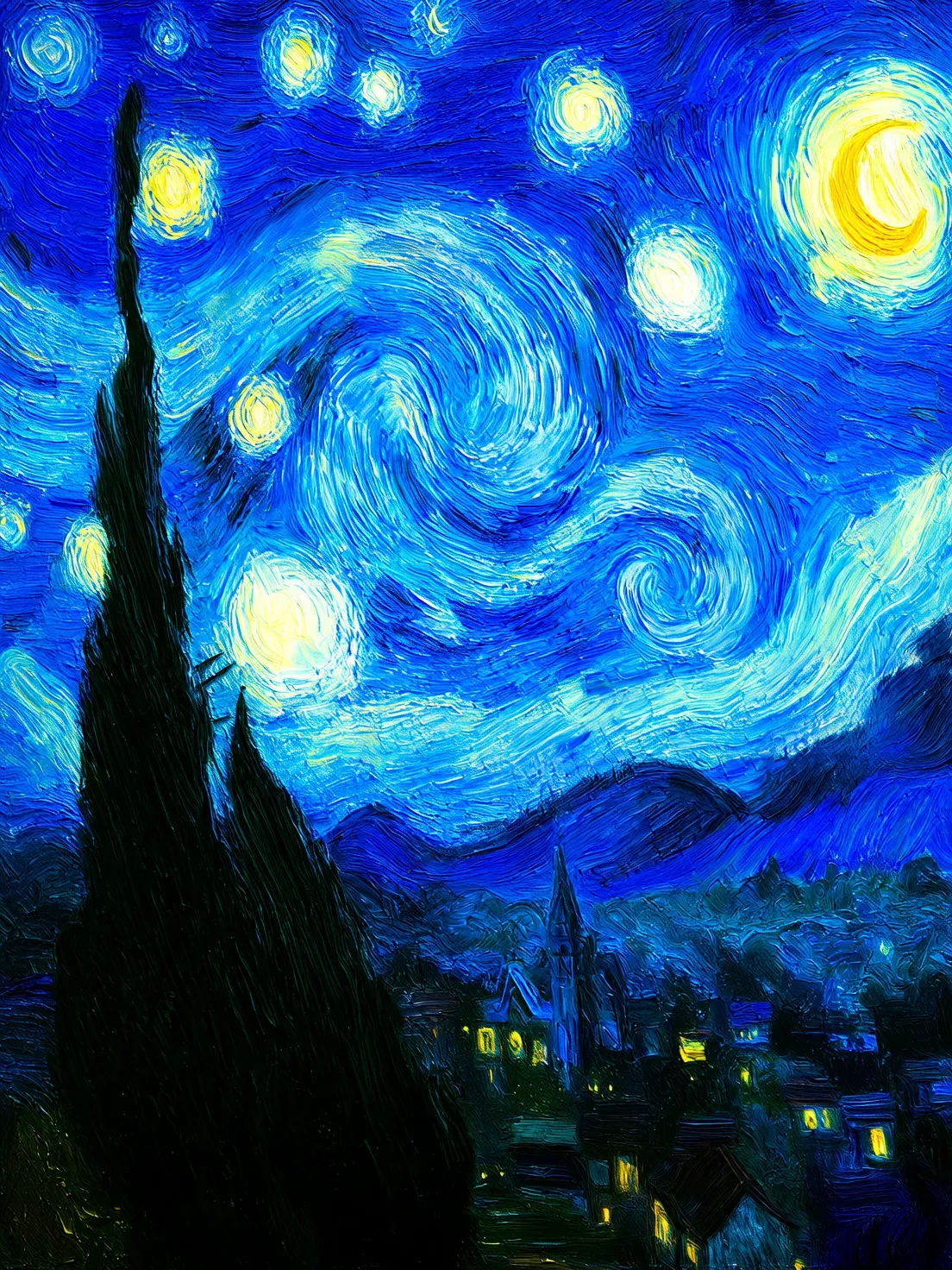
Imagem 2
</td>
<td style={{verticalAlign: "top"}}>
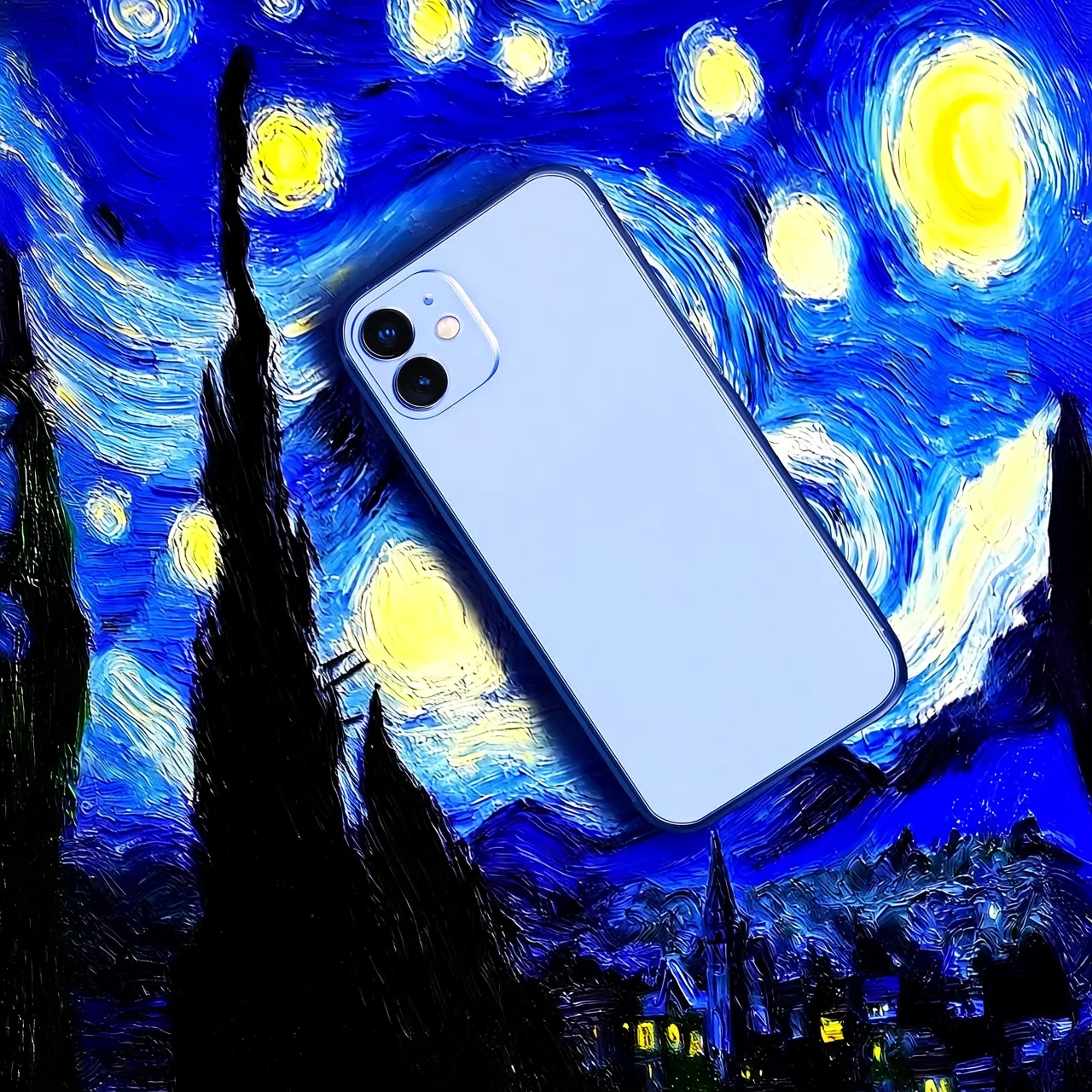
Prompt: Mova a Imagem 1 para a Imagem 2
</td>
<td style={{verticalAlign: "top"}}>
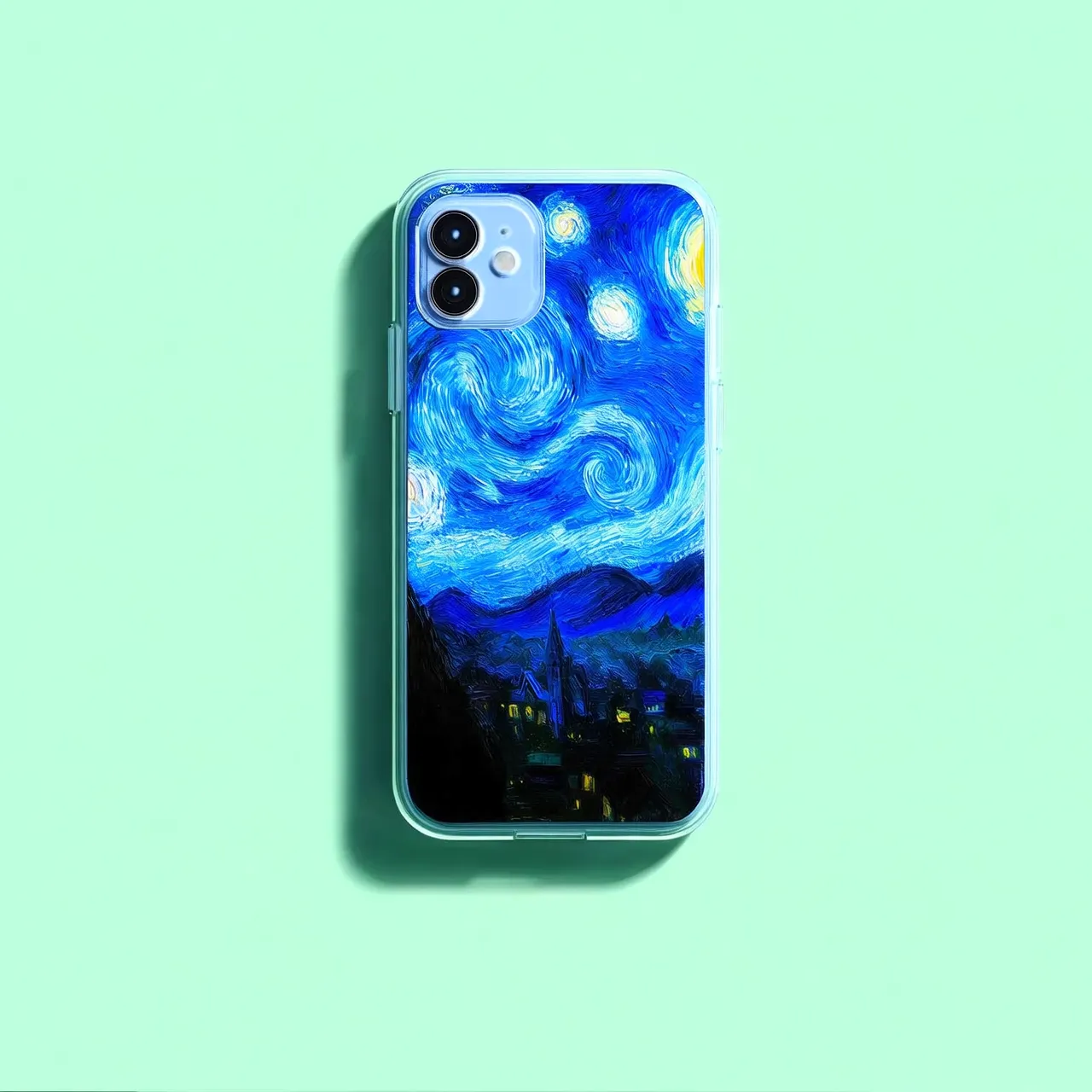
Prompt: Mova a Imagem 2 para a Imagem 1
</td>
</tr>
</tbody> </table>
Métodos para fornecer imagens
Forneça imagens das seguintes maneiras:
Method 1: Public URL
# Use a publicly accessible image URL
image_url = "https://example.com/your-image.png"
# In curl, pass the URL directly in the JSON body
"image": "https://example.com/your-image.png"
Method 2: Base64 encoding
import os
import base64
import mimetypes

# The format is data:{mime_type};base64,{base64_data}
def encode_file(file_path):
    mime_type, _ = mimetypes.guess_type(file_path)
    with open(file_path, "rb") as image_file:
        encoded_string = base64.b64encode(image_file.read()).decode('utf-8')
    return f"data:{mime_type};base64,{encoded_string}"


# Call the encoding function. Replace "/path/to/your/image.png" with the path to your local image file. Otherwise, the code will not run.
image = encode_file("/path/to/your/image.png")
Method 3: Local file path (SDK only)
# Local file path format: file:// + absolute path
# Linux/macOS example:
image_url = "file://" + "/path/to/your/image.png"
# Windows example:
image_url = "file:///" + "C:/path/to/your/image.png"

# Relative path example:
image_url = "file://" + "./your-image.png"
Este método só é compatível com o SDK. As solicitações Curl exigem uma URL pública ou codificação Base64.
Principais recursos
1. Instruções a seguir (solicitações)
Os parâmetros são messages.content.text ou input.prompt (obrigatório) e negative_prompt (opcional).
| Parâmetro | wan2.7-image-pro, wan2.7-image | wan2.6-image | wan2.5-i2i-preview |
|---|---|---|---|
| texto | Obrigatório, até 5.000 caracteres | Obrigatório, até 2.000 caracteres | Não suportado |
| alerta | Não suportado | Não suportado | Obrigatório, até 2.000 caracteres |
| negativo_prompt | Não suportado | Suportado, até 500 caracteres | Suportado, até 500 caracteres |
2. Ativar reescrita de prompt
O parâmetro é parameters.prompt_extend (bool, padrão verdadeiro ).
Este recurso expande e otimiza automaticamente prompts curtos para melhorar a qualidade da imagem de saída. No entanto, ativá-lo adiciona tempo extra de processamento.
| Parâmetro | wan2.7-image-pro, wan2.7-image | wan2.6-image | wan2.5-i2i-preview |
|---|---|---|---|
| prompt_extend | Não suportado | Suportado (somente modo de edição) | Suportado |
3. Defina a resolução da imagem de saída
O parâmetro é parameters.size (string), formatado como "width*height" .
| Parâmetro | wan2.7-image-pro, wan2.7-image | wan2.6-image | wan2.5-i2i-preview |
|---|---|---|---|
| tamanho | Opção 1: Especifique a resolução de saída (recomendado) No modo de edição (pelo menos uma imagem de entrada fornecida), escolha uma destas predefinições de resolução: 1K , 2K (padrão). 1K : A saída tem aproximadamente 1.024×1.024 pixels no total, preservando a proporção da última imagem de entrada. 2K : A saída tem aproximadamente 2.048×2.048 pixels no total, preservando a proporção da última imagem de entrada. Opção 2: Especifique a largura e a altura exatas em pixels O total de pixels deve estar entre 768×768 e 2048×2048, com uma proporção entre 1:8 e 8:1. Somente wan2.7-image-pro em cenários de texto para imagem oferece suporte à resolução 4K. |
Opção 1: Corresponder à proporção da imagem de entrada (recomendado) No modo de edição ( enable_interleave=false ), escolha uma destas predefinições de resolução: 1K (padrão), 2K . 1K : A saída tem aproximadamente 1280×1280 pixels no total, preservando a proporção da última imagem de entrada. 2K : A saída tem aproximadamente 2.048×2.048 pixels no total, preservando a proporção da última imagem de entrada. Opção 2: Especifique a largura e a altura exatas em pixels O total de pixels deve estar entre 768×768 e 2048×2048, com uma proporção entre 1:4 e 4:1. O valor de pixel da imagem de saída real é um múltiplo de 16 que está mais próximo do valor especificado. |
Somente largura e altura exatas em pixels são suportadas O total de pixels deve estar entre 768×768 e 1280×1280, com uma proporção entre 1:4 e 4:1. Se você não especificar size , o sistema gera uma imagem com um total de 1280*1280 pixels por padrão, com a mesma proporção da última imagem de entrada. |
4. Edição precisa e interativa
Você pode usar o parameters.bbox_list parâmetro para definir regiões de edição interativas. O formato é List[List[List[int]]] . Isso permite selecionar objetos ou áreas específicas na imagem para edições mais precisas. Somente wan2.7-image-pro e wan2.7-image suporta esse recurso.
Por exemplo, se a entrada incluir 3 imagens e a Imagem 2 não tiver seleções, enquanto a Imagem 1 tiver duas seleções, você usaria o seguinte:
[
  [[0, 0, 12, 12], [25, 25, 100, 100]],  # Image 1 (2 boxes)
  [],                                    # Image 2 (no boxes)
  [[10, 10, 50, 50]]                    # Image 3 (1 box)
]
Limites de faturamento e taxas
-
Para cota gratuita e detalhes de preços, consulte Preços.
-
Para obter detalhes sobre limites de taxa, consulte Limites de taxa.
-
Detalhes de cobrança: você será cobrado por cada imagem gerada com sucesso. As cobranças são incorridas somente quando a API retorna um
task_statusdeSUCCEEDEDe uma imagem é gerada. Você não será cobrado por chamadas malsucedidas ou erros de processamento, e eles não consumirão sua cota gratuita.
Referência de API
Para obter informações sobre parâmetros de entrada e saída, consulte Wan - Geração e Edição de Imagens (para wan2.7-image e wan2.6-image) e Wan - Referência geral da API de edição de imagens 2.5.